
Prices on this subject change several times a year. So check the page I link next to each number before you pay. And we recheck these prices every month, so the date next to each price tells you when it was last confirmed.
Quick picks
What are Shopify and WooCommerce, in plain words?
Basically, Shopify is a service where Shopify runs everything for you. Shopify's pricing page lists unlimited web hosting, a custom domain and a free SSL certificate inside every plan, checked October 15, 2026.
Now hosting means the computer that keeps your website online all day. A domain is your web address, like yourstore.com. And an SSL certificate is the thing that puts the padlock in the browser and keeps card details private.
WooCommerce works differently. It's a free add-on, called a plugin, for WordPress, which is software for building websites. So WooCommerce's start page says you first need to pick a web host, and it says WooCommerce is designed for use with WordPress (checked October 15, 2026).
So with WooCommerce, you pick and pay for each piece yourself, and you look after each piece. With Shopify, one company gives you all the pieces on one bill.
The WooCommerce plugin page on WordPress.org lists more than 7 million active installs and a 4.5 out of 5 rating from 4,826 reviews, checked October 15, 2026.
What does Shopify Basic cost?
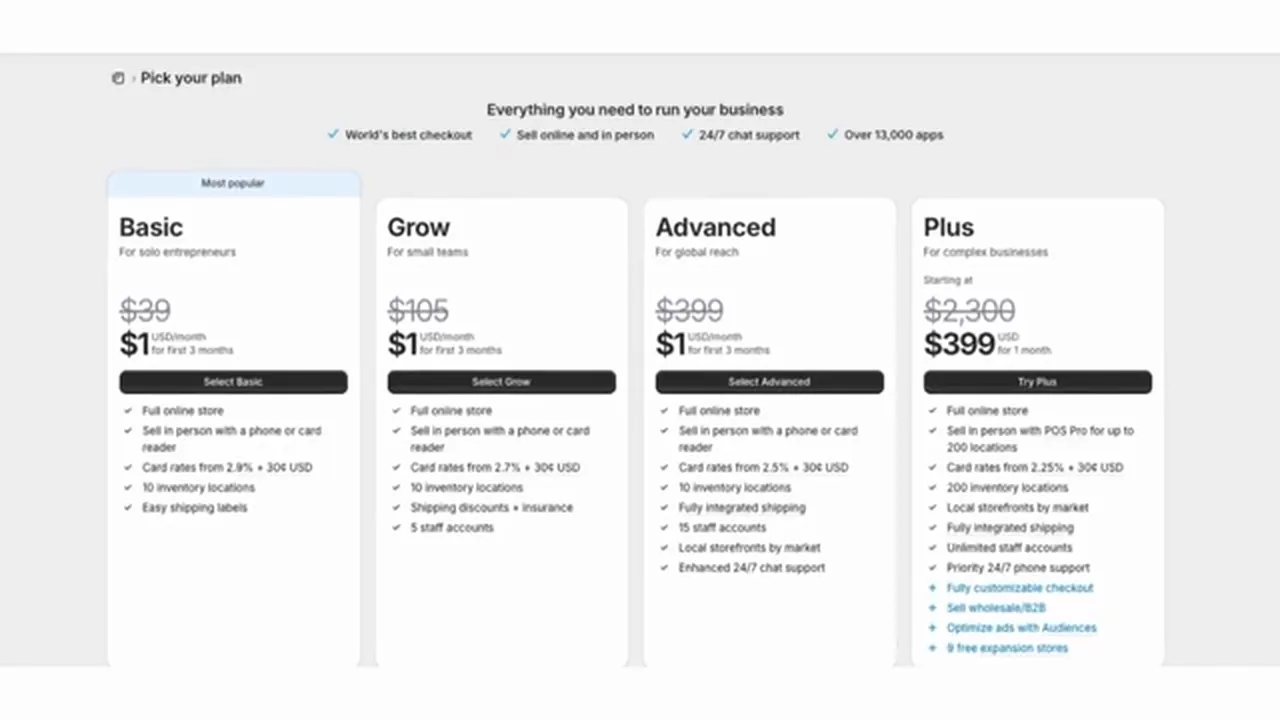
Shopify's Basic plan is the one most beginners look at. These figures are for US stores, from Shopify's pricing page, checked October 15, 2026.
| Shopify Basic (checked October 15, 2026) | Price |
|---|---|
| Plan, paid yearly | $29 a month |
| Plan, paid monthly | $39 a month |
| Standard online card sale with Shopify Payments | 2.9% + 30 cents |
| Extra fee when you use a payment company other than Shopify Payments | 2% of each sale |
| Offer shown on the pricing page | 3 days free, then $1 a month for 3 months |
Keep in mind the pricing page doesn't say when the $1 offer ends. After the 3 months, the regular price starts. I walk through that in my guide to Shopify's $1 offer and free trial. And the other plans are in my guide to Shopify's plans.
Apps, themes and your domain name cost extra on Shopify. I cover those in what Shopify really costs per month.
Is WooCommerce really free?
The software is. WooCommerce's pricing page says the core is free, with no monthly subscription, no platform fee and no revenue share (checked October 15, 2026).
But the same page says a store needs more than the software. Here is what you pay for, with the figures from the pages named, checked October 15, 2026.
- Hosting: WooCommerce's pricing page says $25 to $350 a month for most stores, and that the cost grows with traffic and performance needs.
- Extensions: The same page says $29 to $299 a year per extension. An extension is a paid add-on that gives your store an extra feature.
- Card processing: WooPayments, WooCommerce's own payment company, charges 2.90% + $0.30 on a US card.
- Your time: Updates, backups and fixes are your job, or you pay someone to do them.
What does WooCommerce hosting really cost?
So there are two numbers, and you should look at both. The first is the promo price, which is the low price for your first term. The second is the renewal price, which is what you pay when the first term ends.
All of these are US dollar prices from each host's own WooCommerce page, checked October 15, 2026. Each one is a promotion, and the host's page shows the renewal price right next to it.
| Host and plan (checked October 15, 2026) | Promo price per month | What you pay up front | Renews at, per month |
|---|---|---|---|
| SiteGround StartUp | $2.99 | 12 months prepaid, $35.88 | $17.99 |
| SiteGround GrowBig | $4.99 | 12 months prepaid, $59.88 | $29.99 |
| Hostinger managed WooCommerce, Unlimited plan | $3.99 | 48 months, $191.52 (regular price $911.52) | $16.99 |
| Hostinger managed WooCommerce, Cloud Startup plan | $7.99 | 48 months, $383.52 (regular price $1,343.52) | $25.99 |
| Bluehost eCommerce Essentials | $14.99 | 36 month term | $21.99 |
| Bluehost eCommerce Premium | $21.99 | 36 month term | $30.99 |
| WordPress.com Commerce | $45 | Billed every 12 months | $50 |
Hostinger's page says every plan is paid up front, and the monthly price is the total divided by the number of months. So $191.52 over 48 months is $3.99 a month.
Now here are the details the host pages give. SiteGround's and Hostinger's pages both show a 30-day money-back guarantee. Hostinger's page includes a free domain for the first year on yearly or longer plans, with conditions. Bluehost's page lists a free domain for the first year too. WordPress.com's page says its prices exclude taxes.
Basically, the low prices are first-term deals. SiteGround's StartUp plan goes from $2.99 to $17.99 a month at renewal. Hostinger's Unlimited plan goes from $3.99 to $16.99. Those renewal prices are about 4 to 6 times the promo prices, though still below Shopify Basic's $29 yearly price.
And WooCommerce's own page says $25 to $350 a month for most stores. The host pages above show lower first-term prices. The two don't agree. Neither WooCommerce nor the hosts say which tier a beginner's store needs, because that depends on how many visitors the store gets.
Something to note is that Hostinger's page says its unlimited features are subject to a fair usage policy. Hostinger's hosting agreement says unlimited features are meant for the typical running of a small business website (checked October 15, 2026). And every Hostinger plan still has limits on things like database size and computer power.
Also, WooCommerce's server requirements page lists the minimum versions of the software a host must run. So ask your host to confirm it meets WooCommerce's server requirements.
Is WooCommerce too technical for a beginner?
Setting up the store is less technical than it sounds, because some hosts do the install for you. SiteGround's page says it installs WordPress with the WooCommerce plugin and the Storefront theme. Bluehost's page says WooCommerce comes pre-installed. Checked October 15, 2026.
Here is the order of the work.
- Pick a web host. WooCommerce's start page says this comes first.
- Get WordPress with WooCommerce on that host. The hosts above say they install it, so you don't have to build it yourself.
- Pick a theme, which is the design of your store. Storefront is free.
- Add a way to take payments, such as WooPayments, Stripe or PayPal.
- Add WooCommerce Tax if you want sales tax worked out at checkout.
My opinion is that the setup is the easier part. The ongoing work is the harder part, because updates, backups and fixes keep coming. I cover that in the next two sections.
What else costs money on WooCommerce?
A basic store of products can run on free pieces. These are listed as free on their WooCommerce marketplace pages, checked October 15, 2026.
- Storefront is WooCommerce's own theme, listed as free. A theme is the design of your store. Paid themes on the same marketplace are billed yearly. For example, the Storefront page shows QuickMart at $49 a year.
- Stripe for WooCommerce takes card payments and is listed as free.
- PayPal Payments for WooCommerce adds PayPal and is listed as free.
- WooCommerce Tax works out sales tax at checkout and is listed at $0.
Some features cost more. These prices are per year, from each extension's page, checked October 15, 2026. Each page states a 30-day money-back guarantee.
| WooCommerce extension (checked October 15, 2026) | What it does | 1-year price |
|---|---|---|
| WooCommerce Memberships | Members-only content | $199 |
| WooCommerce Bookings | Appointments, reservations and rentals | $249 |
| WooCommerce Subscriptions | Recurring payments | $279 |
So if you only sell products, you may not need any paid extension. But if you sell bookings, memberships or subscriptions, each one adds a yearly fee. Shopify handles those jobs with apps that have their own prices, which I don't compare here.
What does each platform charge on a sale?
Now a payment processor is the company that moves the card money from your buyer's bank to yours and keeps a fee. A chargeback is when a buyer disputes a charge with their card company and the money is pulled back from you. A payout is when the processor sends your sales money to your bank.
| US store, standard US card (checked October 15, 2026) | Shopify Basic with Shopify Payments | WooCommerce with WooPayments |
|---|---|---|
| Card fee | 2.9% + 30 cents | 2.90% + $0.30 |
| Chargeback fee | $15 | $15.00 |
| Fee for using a different processor | 2% of each sale | None added by WooCommerce |
| Time to get paid | At least 3 business days, then 1 to 3 more days before the money shows in your bank | 2 business day pending period, and the first payout is held 7 days after the first successful payment |
The sources are Shopify's pricing page, Shopify's chargeback page, Shopify's payout timing page, WooPayments' fees page and WooPayments' payout schedule page. WooPayments' page says the 7 day hold on the first payout can't be waived.
You can also use Stripe directly. Stripe's pricing page lists 2.9% + 30 cents for domestic cards and a $15 dispute fee, checked October 15, 2026.
Now the difference that matters most is the surcharge. On Shopify Basic, picking Stripe or any other outside company adds Shopify's 2% on top of the outside company's own fee. On WooCommerce, WooCommerce adds nothing for picking another company.
What would I pay at $1,000, $3,000 and $5,000 a month in sales?
So here is the math, and you guys can redo it with your own numbers.
The assumptions: Every sale is one $50 order. I picked $50 as an example, so swap in your own average. Every order is paid by a US card in US dollars. There are no refunds, chargebacks or international buyers. That gives 20 orders at $1,000, 60 at $3,000 and 100 at $5,000. Shopify uses Basic with Shopify Payments, and WooCommerce uses WooPayments. Prices are from the sources in this page, checked October 15, 2026.
The formula: The card fee is 2.9% of your sales plus 30 cents times your orders. At $1,000 that's 0.029 × $1,000 = $29, plus 20 × $0.30 = $6, so $35. At $3,000 it's $87 + $18 = $105. And at $5,000 it's $145 + $30 = $175. The card fee is the same on both platforms.
So the monthly total is the platform or hosting bill plus the card fee. It leaves out your domain, theme, extensions, apps, taxes and your time.
| Setup (prices checked October 15, 2026) | Platform or hosting per month | At $1,000: bill + $35 | At $3,000: bill + $105 | At $5,000: bill + $175 |
|---|---|---|---|---|
| Shopify Basic, paid yearly | $29 | $64 | $134 | $204 |
| Shopify Basic, paid monthly | $39 | $74 | $144 | $214 |
| WooCommerce on SiteGround StartUp, first 12 months | $2.99 | $37.99 | $107.99 | $177.99 |
| WooCommerce on SiteGround StartUp, after renewal | $17.99 | $52.99 | $122.99 | $192.99 |
| WooCommerce on Hostinger Unlimited, first 48 months | $3.99 | $38.99 | $108.99 | $178.99 |
| WooCommerce on Hostinger Unlimited, after renewal | $16.99 | $51.99 | $121.99 | $191.99 |
| WooCommerce on Bluehost eCommerce Essentials, 36 month term | $14.99 | $49.99 | $119.99 | $189.99 |
| WooCommerce on WordPress.com Commerce, billed yearly | $45 | $80 | $150 | $220 |
| WooCommerce at the low end of WooCommerce's own hosting range | $25 | $60 | $130 | $200 |
| WooCommerce at the high end of WooCommerce's own hosting range | $350 | $385 | $455 | $525 |
So on cash alone, WooCommerce on SiteGround's or Hostinger's first-term deal costs about $25 to $26 a month less than Shopify Basic paid yearly. After renewal, SiteGround's and Hostinger's plans still cost about $11 to $12 less. WordPress.com Commerce at $45 costs more. And WooCommerce's own $25 to $350 range runs from $4 less to far more.
Notice that the sales level doesn't change which setup is cheaper. The card fee is the same, so the gap stays the same at $1,000, $3,000 and $5,000.
Now the one thing that does change the gap is the processor you pick. Here is the extra Shopify charge for using an outside company on Shopify Basic, which is 2% of sales.
| Using an outside processor (checked October 15, 2026) | At $1,000 | At $3,000 | At $5,000 |
|---|---|---|---|
| Shopify Basic adds 2% of sales | $20 | $60 | $100 |
| WooCommerce adds | $0 | $0 | $0 |
For example, Stripe directly at $3,000 costs $105 in Stripe's fee. On WooCommerce that's all you pay in card fees. On Shopify Basic you'd pay $105 plus $60, so $165.
I use the same method in my guide to Etsy fees against Shopify fees.
How much of my time does WooCommerce take?
Basically, time is the cost nobody puts on the pricing page. Monkey Vision is a Dutch web agency that sells WooCommerce maintenance. Monkey Vision estimates that doing the work yourself takes an average of 2 to 4 hours a month. That's for updates, backups, security checks and performance checks. Monkey Vision also says paying someone costs 75 to 150 euros a month, depending on the size of your shop (published April 26, 2026, checked October 15, 2026).
Keep in mind that this is an estimate from a company that sells maintenance. It isn't a measurement, and WooCommerce's pricing page doesn't give an owner-hours figure either.
So the way to use it is a simple formula. Hours a month times what an hour of your time is worth to you. The table shows the agency's 2 to 4 hours at three example hourly values. It's your number to pick.
| What an hour of your time is worth | 2 hours a month | 4 hours a month |
|---|---|---|
| $0 | $0 | $0 |
| $20 | $40 | $80 |
| $50 | $100 | $200 |
What can go wrong with WooCommerce, and who fixes it?
With Shopify, Shopify runs the hosting and security for you. With WooCommerce, the host, the theme, the plugins and WordPress each come from a different company. So when checkout breaks, you or someone you hire has to find which piece caused it.
Maria Sparagis makes the same point in the video below. She says that if something breaks, you may need a developer to work out whether the problem is WooCommerce, your hosting, your theme or one of your plugins.
On security, Patchstack, a company that sells WordPress protection, reported 11,334 new vulnerabilities in the WordPress ecosystem in 2025, up 42% from 2024. It says 91% were in plugins, 9% in themes and 6 in WordPress core. Its report was updated February 25, 2026 (checked October 15, 2026).
Keep in mind Patchstack's count covers all of WordPress, not just WooCommerce, and it comes from a company that benefits when people worry about security. My reading is that the risk sits mostly in plugins, so fewer plugins and prompt updates matter.
What if I pick WooCommerce and want to switch later?
Shopify's guide to moving from WooCommerce says what moves and what doesn't, checked October 15, 2026.
- Products and customers move with a CSV file, which is a plain spreadsheet file, or with Shopify's Store Migration app.
- The guide says you can't export or migrate reviews from WooCommerce to Shopify.
- Products with more than three options won't have their options imported by the app.
- Order history needs a third-party app, and the guide names LitExtension, Matrixify and Ablestar.
- Shopify's web address structure is likely different, so the guide says to set up redirects before moving your domain.
That guide covers moving to Shopify. It doesn't cover moving from Shopify to WooCommerce.
A video worth watching about Shopify vs WooCommerce
And if you want to hear another take, here is one video. You can play it right here, and YouTube's usual controls work. Under the video is a summary. Keep in mind the live pricing pages beat any price in a video.
She explains the two platforms with slides, and argues the choice is convenience against control.
- How they differ: She says Shopify is hosted and managed for you, while WooCommerce is free software where you supply hosting, WordPress, themes and plugins.
- Total cost: She says WooCommerce isn't automatically cheaper and that you should compare the total cost of running the store, not the monthly fee.
- Payment fees: She says WooCommerce adds no fee for using your own processor, while Shopify adds 2% on Basic, 1% on Grow and 0.6% on Advanced. Her example is $5,000 a month on $500,000 in sales at the 1% rate, far above the sales levels on this page.
- Her pick: She would choose Shopify to start something easy to launch and maintain, and would look at WooCommerce for control and payment flexibility. She says some stores use both above about $100,000 a month.
When is each one the wrong choice?
These three lines are my opinion, based on the numbers above.
- WooCommerce is the wrong choice if you only have evenings and weekends and no WordPress experience. The updates, backups and fixes land on you, and the low host prices rise at renewal.
- Shopify is the wrong choice if you want to pick your own payment company and avoid a surcharge for it. Shopify Basic adds 2% on sales for any processor other than Shopify Payments.
- Shopify is also the wrong choice if you already run a WordPress site with a blog or courses and want products on the same site. WooCommerce is built for WordPress.
This page doesn't cover sales tax rules. This is general information, and a state agency or an accountant can confirm the rules for your own state.
Buddy's take
So ultimately, if you're a beginner with evenings and weekends, then for me personally I'd go with Shopify's Basic plan. Shopify's bill is higher than a first-term WooCommerce host deal, but Shopify runs the hosting for you.
But if you already know WordPress, or you want to choose your own payment company, then WooCommerce on a managed host can cost less in cash. Just budget the renewal price, not the promo.
And I wouldn't treat WooCommerce as the free option. The software is free, and the store around it isn't.
Have a question about “Shopify vs WooCommerce: is the free option really cheaper?”?
Ask it here. Every question comes to me first. I answer as many as I can, and each answered question goes on this page with my answer so other people starting a store can see it too. I don't ask for your email, so check back on this page for the answer.
More comparisons guides
Shopify vs Etsy for beginners: which should you start with?
A straight answer for someone who has never sold online, with the real fees and the real sign-up screens.
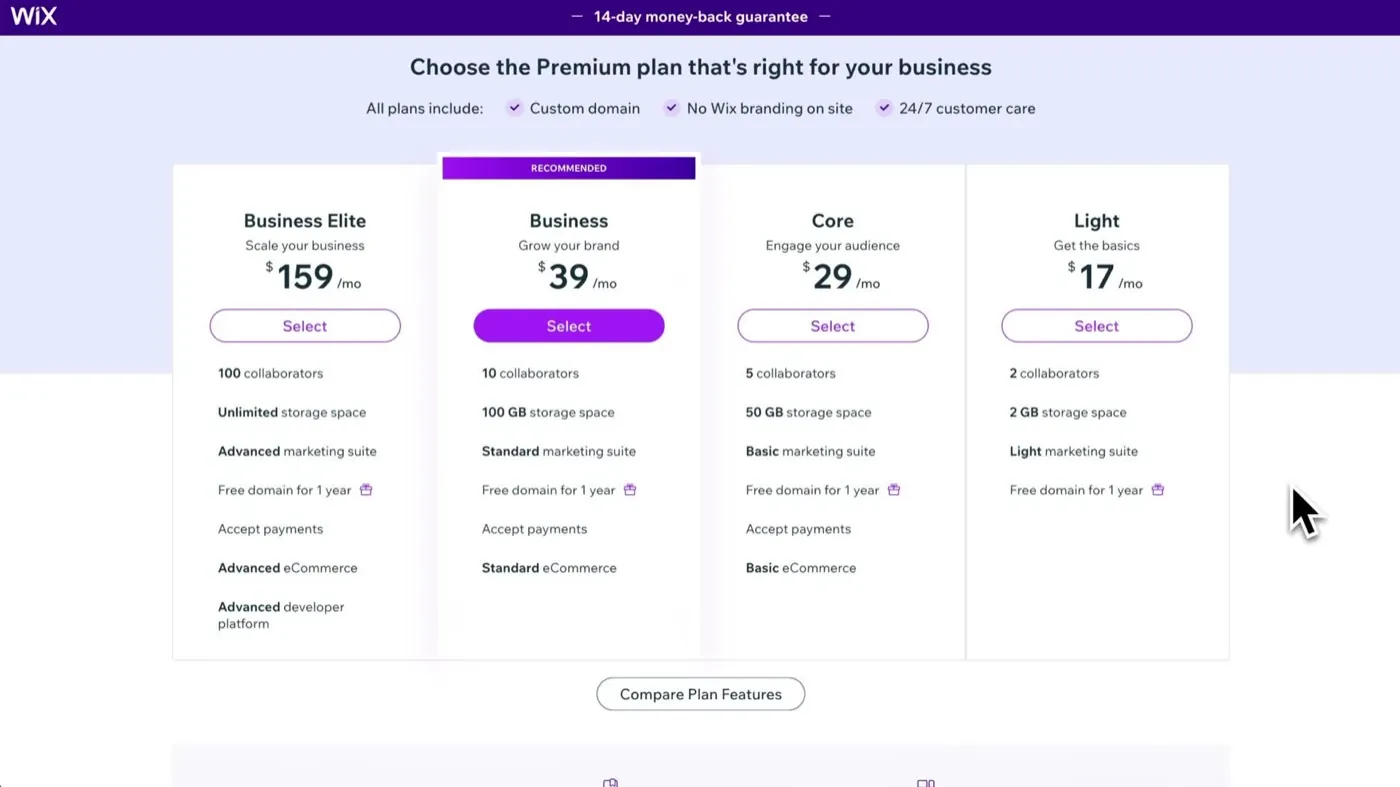
Shopify vs Wix: which should you choose for your online store?
The cheapest plan that can take payments costs the same on both. What differs is what the site is built to do.
- Shopify's pricing page, checked October 15, 2026: shopify.com/pricing. Basic plan prices, card rate, outside processor fee, hosting and the $1 offer.
- Shopify's help center, checked October 15, 2026: chargebacks, payout timing and migrating from WooCommerce.
- WooCommerce, checked October 15, 2026: pricing, start page and server requirements.
- WooPayments, checked October 15, 2026: fees and payout schedule.
- WordPress.org, checked October 15, 2026: WooCommerce plugin page.
- Host pages, each checked October 15, 2026: SiteGround, Hostinger, Bluehost and WordPress.com.
- WooCommerce marketplace pages, each checked October 15, 2026: Storefront, Stripe for WooCommerce, PayPal Payments, WooCommerce Tax, Memberships, Bookings and Subscriptions.
- Stripe's pricing page, checked October 15, 2026: stripe.com/pricing.
- Monkey Vision, published April 26, 2026, checked October 15, 2026: WooCommerce maintenance. An agency that sells maintenance, so the hours figure is its estimate.
- Patchstack, updated February 25, 2026, checked October 15, 2026: State of WordPress Security in 2026.
- Video, checked October 15, 2026: Click and Convert with Maria Sparagis.
Online Store Buddy is an independent site. We're not affiliated with or endorsed by Shopify, Etsy, Amazon, WooCommerce, Wix or Squarespace. Those names are trademarks of their owners.