
Quick picks
What do the words payout, hold and reserve mean?
Now a handful of words come up whenever people talk about getting paid on Shopify, so here's what each one means.
- Payment processor: The company that takes the customer's card and moves the money. On Shopify, the processor Shopify runs itself is called Shopify Payments.
- Payout: The money Shopify Payments sends to your bank account. Customers pay at checkout, and the payout is what lands in your bank later.
- Account hold: Shopify Payments stops sending you payouts until the reason for the hold is sorted out. Your store can still run during an account hold.
- Reserve: Shopify keeps back some or all of your Shopify Payments money for a set period, to cover possible losses from disputes and refunds.
- Chargeback: A customer asks their card company to take the money back. Shopify's chargeback fee in the US is $15 per dispute, checked October 17, 2026 on Shopify's chargeback page.
Keep in mind that everything below is a Shopify platform rule or a term in Shopify's contract with you. None of it is law. I'll say so when something is only one seller's report.
How long does Shopify Payments take to pay a new store?
So the short answer is 3 business days at the fastest, plus time at your bank. Here is what Shopify's payout timing page says for the US, checked October 17, 2026.
| What | What Shopify says (US) |
|---|---|
| Shortest wait after a sale | 3 business days |
| Extra time at your bank after Shopify sends the payout | About 1 to 3 business days |
| Smallest payout amount | None |
| New stores paid into Shopify Balance | For payouts into Shopify Balance, Shopify's own money account, Shopify says payouts for new merchants "can take up to 5 business days" in some cases |
| Changing your payout bank account | Payouts pause 3 to 5 business days, but only if you change the account more than 24 hours after Shopify Payments setup was completed |
| Custom payout schedules for higher-risk accounts | Shopify says an account it sees as higher risk can be put on a custom schedule with payout periods of 5 to 20 business days |
Shopify gives an example. A charge on a Friday, with a 3 business day wait, is paid out on the next Wednesday.
Now something to note is that Shopify's pages print no fixed first-payout date and no extra waiting period that applies to every new store. The only line about new merchants is the Shopify Balance one in the table above. So Shopify doesn't promise your first payout on a certain day.
How do I change my payout schedule?
Shopify's payout timing page and its payout schedule page both list daily, weekly or monthly payouts for a US store, checked October 17, 2026. Switching from one payout schedule to another costs nothing. Payouts already waiting go out on the next payout date of your new schedule.
- In your Shopify admin, which is the back end where you run your store, open Settings, then Payments.
- Under Shopify Payments, click Manage.
- Open the Payouts section, then Payouts schedule.
- Choose daily, weekly or monthly. If you pick weekly, you also choose the day of the week you want your payouts.
- Click Save.
Why is my payout lower than my sales, or missing?
Basically, Shopify Payments takes fees and a few other amounts out of your sales before your payout is sent. Shopify's lower or missing payouts page (checked October 17, 2026) lists these causes:
- Processing fees come out of each sale first, and in some regions so do taxes on those fees.
- Refunds you gave customers since your last payout come out of your next payout.
- For a chargeback, Shopify takes out the sale amount plus the $15 dispute fee.
- Adjustments listed in a payout's breakdown, currency conversion and a negative balance from past fees or refunds can also lower a payout.
- A hold on specific transactions can keep part of a payout back while the rest is paid.
- A reserve keeps part of your money back for a set period, which I explain further down.
On the Payouts page, a payout's status reads Scheduled, Deposited or Failed. Deposited means Shopify sent the money, so allow 1 to 3 business days for your bank. Failed means the payout couldn't go through because of a problem with your bank account.
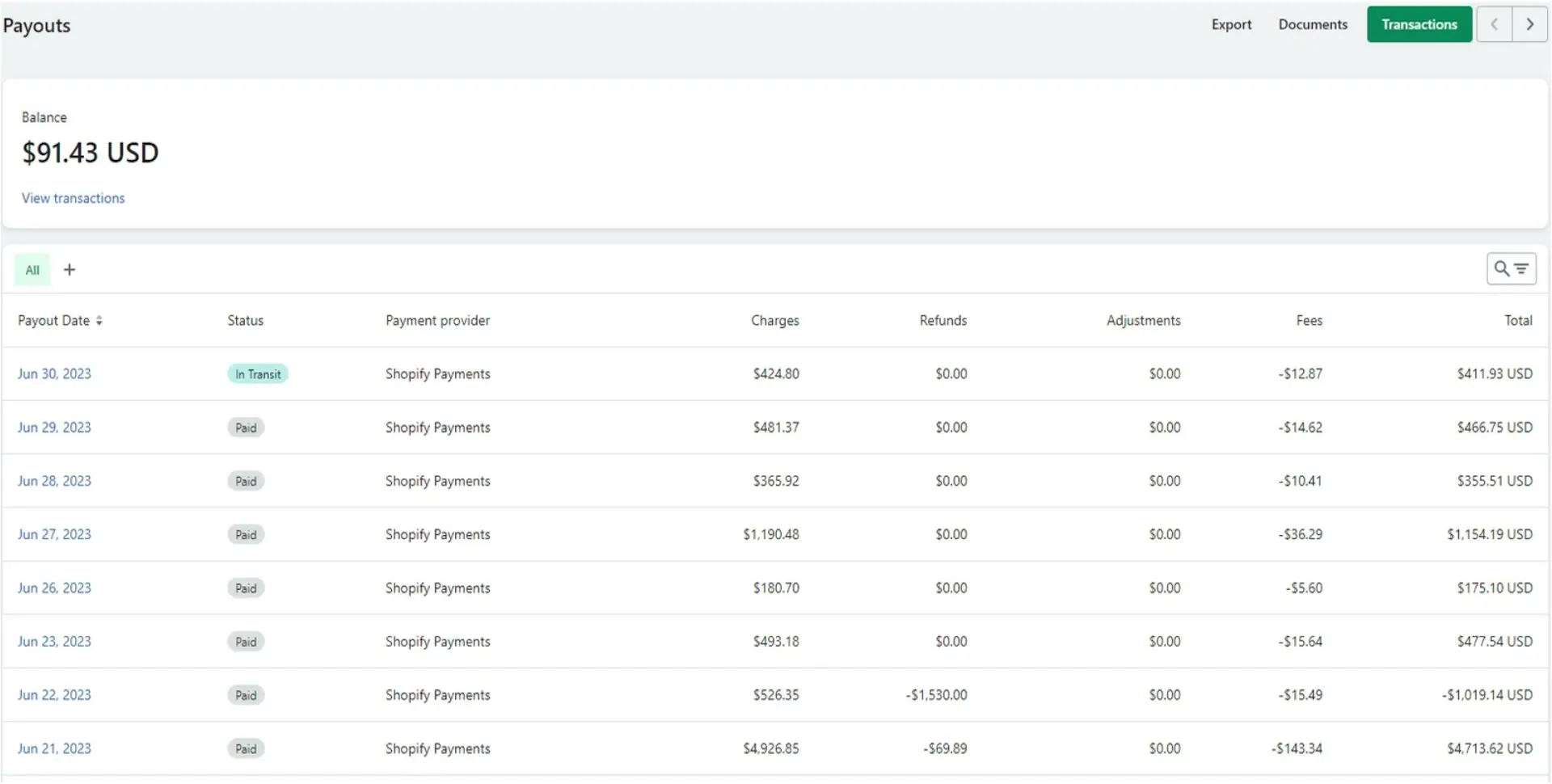
Shopify's Payouts page in a video uploaded July 2023, from Mavency's video. Each row shows a payout's status, payment provider, charges, refunds, adjustments, fees and total. Shopify's layout has changed since 2023, so your screen may look different.
What is an account hold on Shopify Payments?
So an account hold means you can't receive payouts through Shopify Payments until the reason for the hold is resolved. That is Shopify's wording on its account holds page, checked October 17, 2026.
You can still run your store. In most cases customers can still check out, but you aren't paid for those orders until the hold is resolved. Shopify also says that in some cases new orders may be blocked.
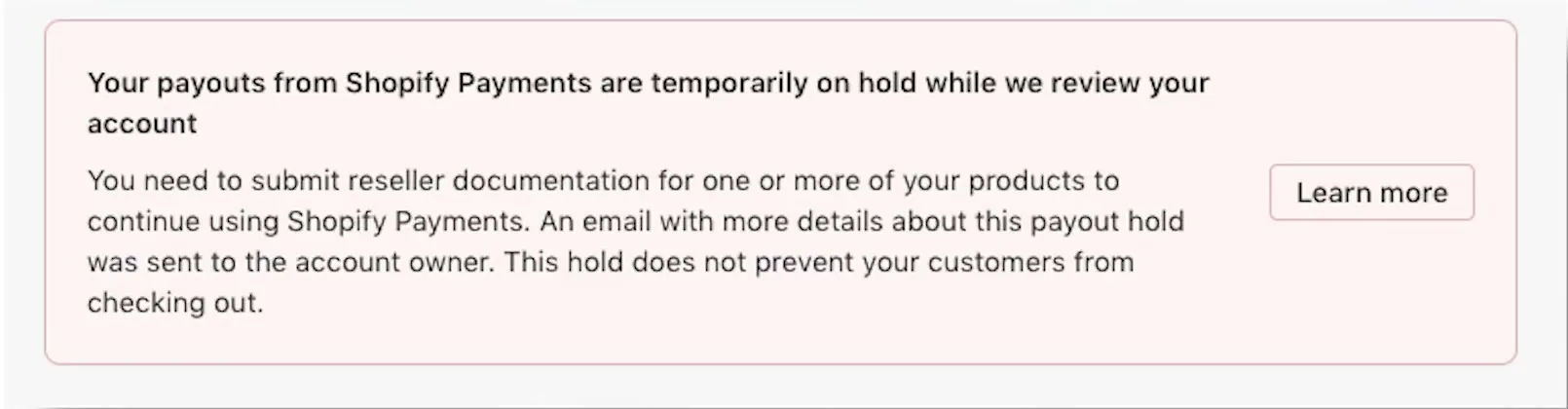
A payout hold notice in a video uploaded June 2024, from Thrive Media's video. This one asks for reseller documentation, which is not one of the reasons in the list above. It says an email went to the account owner and that customers can still check out.
Shopify lists these reasons for a hold:
- Shopify needs information you haven't given yet, such as incomplete business details.
- The bank details you entered are wrong.
- Shopify Payments doesn't support the products you sell, which Shopify calls product eligibility.
- Shopify Payments doesn't support your type of business, which Shopify calls supportability.
- Your business is affected by sanctions related to your location.
- Your business is involved in creditor or legal action, such as someone you owe money to sending a legal notice to the payment processor.
Shopify tells you about a hold with a message in your Shopify admin and an email to the store owner, so check your spam folder too. Only the store owner can see the hold details and fix the hold. To fix a hold, give Shopify the information it asks for and reply directly to Shopify's hold email. For a creditor hold, you contact the creditor yourself. Only the payment processor, not Shopify, can remove a creditor hold after the creditor releases it.
The contract matters too. In the Shopify Payments terms of service (US), read October 17, 2026, the payment processors behind Shopify Payments may hold your funds while they wait for information they asked for. A processor may also keep holding funds until things like chargebacks and investigations are settled. And Shopify may suspend a Shopify Payments account at any time, including for risk.
What is a reserve, and how long does Shopify keep the money?
Now a reserve is different from a hold. A reserve keeps back some or all of your Shopify Payments transactions for a set period. According to Shopify's reserves page, checked October 17, 2026, a reserve usually doesn't stop you from accepting payments. Shopify emails you the terms of your reserve.
Shopify says reserves are there to cover possible losses from disputes and refunds. A reserve usually follows a risk review, and Shopify gives these examples of what the review looks at:
- The business bills customers over long periods, such as yearly subscriptions.
- The business gets a lot of chargebacks.
- The business has a high refund rate.
- The business has long delivery times, such as custom orders and pre-orders.
- The business has a sudden jump in sales.
Shopify gives two examples of what a reserve can look like:
- Fixed amount: $1,000 held for 120 days.
- Percentage: 10% of your transactions held for 120 days, with the other 90% paid out normally.
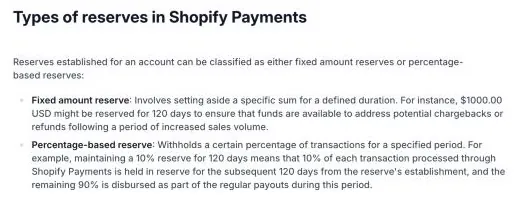
Shopify's own reserves help page, screenshot taken October 17, 2026. These are the two examples Shopify gives. They are examples, not promised terms.
Keep in mind that these are Shopify's examples, not promised terms. The amount and the length of your own reserve are in the reserve email Shopify sends you. Before a reserve ends, Shopify reviews the account and decides whether to lift, keep, reduce or increase the reserve.
To use Shopify's own example with numbers: if a store sold $3,000 in a month and a 10% reserve applied, $300 would be held back that month. That is a made-up illustration of Shopify's example, not a prediction for your store.
How do I see a reserve, and how do I ask for it to be lifted?
- The Payouts page shows a "Reserved funds" amount.
- You can also go to Finance, then Payouts, then View order transactions, export those order transactions and filter for reserve funds.
- To appeal a reserve, reply to the reserve email within the time it states. Shopify says some reserves can't be appealed.
- If the reserve email lists requirements, Shopify says the reserve is removed automatically once you meet them.
Something to note is what Shopify's Payments terms say about reserves. Shopify sets a reserve's terms "in our discretion," which means Shopify decides, and a reserve can be up to the full amount of your funds for a period. The terms also say Shopify may put a store into automated dispute handling when chargeback risk looks high, and then you can't fight those disputes yourself.
What do sellers say about holds on new stores?
So Shopify publishes no figure for how often holds happen, and no rule such as "every new store gets a reserve." What's out there are seller reports. Here are three posts from the Shopify Community forum, read October 17, 2026. Each one is the poster's own account, and the causes named are their view or their repliers' view.
- Posted June 3, 2025: a store about 4 weeks old, opened in early May 2025, got one payout in week one. Later payouts were held. The poster says support gave conflicting updates. The thread was unresolved, and one reply suggested switching to another payment processor.
- Posted June 29, 2026: payouts held since June 4, 2026 on a home furnishings store with imported products and slow fulfillment. The poster says Shopify linked the hold to unfulfilled orders and then stopped responding. The thread had 2 replies and was unresolved.
- Posted August 1, 2026: an account hold placed in April 2026, with a release date of August 29, 2026 in Shopify's email (120 days). After the poster paid a bill to reopen the store, a store review was added and the date reportedly showed 2027. The appeal was denied and support answers conflicted. The thread had four replies, and none of them reported the same extension.
Only one of the three was a brand-new store. These are three posts, not a count of how often holds happen, and they don't show a rate. No published figure says whether most new stores get held or only a few. Shopify's own pages are the only source for what causes holds, and the next section builds on those pages.
What can I do to lower the chance of a hold?
Each step below ties to a reason Shopify itself lists. None of them guarantees you'll never be held.
- Fill in your business and owner details completely, and keep them the same everywhere. Shopify lists incomplete details as a reason for a hold. If you're deciding whether to register a company first, my LLC and EIN before Shopify page covers that choice. Keep in mind that no Shopify page says registering a company prevents holds.
- Enter the right checking account during setup. Incorrect bank details are a listed reason for a hold. And if you change the payout bank account more than 24 hours after setup was completed, payouts pause 3 to 5 business days. So getting the account right the first time saves you that pause.
- Sell only what Shopify Payments supports. Product eligibility and business type are both listed reasons. Read the account holds page before you stock products in a gray area.
- Keep delivery times short, and state them plainly. Shopify names long delivery times as something its reserve review looks at. If you're thinking about dropshipping, where suppliers ship for you, my dropshipping store setup and is dropshipping worth it pages cover the delivery side.
- Keep refunds and chargebacks low. Shopify names a lot of chargebacks and a high refund rate as things its reserve review looks at.
- Watch your email and the Merchant Alerts notices in your Shopify admin, and reply fast. Shopify tells the store owner about a hold in both places, and fixing a hold starts with a reply.
If a different problem worries you, like a store getting shut down before launch, see why a Shopify store gets suspended before launch.
What does Shopify Payments take out of each sale?
Shopify Payments takes its card fees out of each sale before your payout is sent. Here are the card rates from Shopify's pricing page for US stores, checked October 17, 2026.
| Shopify plan | Online card rate with Shopify Payments | Extra fee if you use an outside payment provider |
|---|---|---|
| Basic | 2.9% + 30¢ | 2% |
| Grow | 2.7% + 30¢ | 1% |
| Advanced | 2.5% + 30¢ | 0.6% |
| Plus | From 2.25% + 30¢ | 0.2% |
Shopify's pricing page also lists higher rates for what it calls premium cards (3.5% on Basic, 3.3% on Grow, 3.1% on Advanced, each plus 30¢). Cards from outside the US cost an extra 1%. Shopify's billing charges page, checked October 17, 2026, says the outside provider fee shows up on your monthly Shopify bill when Shopify Payments isn't turned on. That page doesn't print the rates, so the rates come from the pricing page. For monthly plan prices, see what Shopify really costs each month and Shopify's plans explained.
What would the fees be at $1,000, $3,000 and $5,000 a month?
Here are the assumptions for the math. Every sale is a standard online card sale in the US, with no refunds and no chargebacks. The average order is $50, and that $50 is an assumption for the math, not a Shopify figure. Shopify's monthly plan prices aren't included.
The formula is: sales times the percentage, plus 30¢ times the number of orders. The number of orders is sales divided by $50.
| Monthly sales | Orders at $50 | Basic, Shopify Payments (2.9% + 30¢) | You receive |
|---|---|---|---|
| $1,000 | 20 | $29.00 + $6.00 = $35.00 | $965.00 |
| $3,000 | 60 | $87.00 + $18.00 = $105.00 | $2,895.00 |
| $5,000 | 100 | $145.00 + $30.00 = $175.00 | $4,825.00 |
Now here are two other setups with the same sales. The first is Grow with Shopify Payments at 2.7% + 30¢. The second is Basic with an outside payment provider that charges 2.9% + 30¢, plus Shopify's 2% fee on Basic. Stripe lists 2.9% + 30¢ for domestic cards, checked October 17, 2026.
| Monthly sales | Grow, Shopify Payments (2.7% + 30¢) | Basic, outside provider at 2.9% + 30¢, plus Shopify's 2% |
|---|---|---|
| $1,000 | $27.00 + $6.00 = $33.00 | $35.00 + $20.00 = $55.00 |
| $3,000 | $81.00 + $18.00 = $99.00 | $105.00 + $60.00 = $165.00 |
| $5,000 | $135.00 + $30.00 = $165.00 | $175.00 + $100.00 = $275.00 |
So on Basic, the outside provider costs $20 more at $1,000, $60 more at $3,000 and $100 more at $5,000. That difference is the 2% Shopify charges on top of the outside provider's own fee.
How do Etsy and WooCommerce payouts compare?
- Etsy: deposits generally arrive within 5 business days, and a bank change brings a 5 calendar day hold, per Etsy's payments policy, checked October 15, 2026. For fees side by side, see Etsy fees against Shopify fees.
- WooCommerce: WooPayments has a 2 day pending period and a first payout after a 7 day wait that its page says cannot be waived, checked October 15, 2026. So WooPayments prints a first-payout rule, and Shopify Payments doesn't.
When is Shopify Payments the wrong choice?
- If Shopify Payments doesn't support your products or business type, you'll need an outside payment provider. On Basic, that adds Shopify's 2% fee on top of the outside provider's own fee.
- If you need your money by a fixed date, keep in mind that Shopify prints no first-payout date. A platform that prints one, like WooPayments with its 7 day rule, gives you a date to plan around.
- If you only want to sell a few handmade items and compare costs first, Etsy may fit better. My start a store with no money page covers the low-cost starts.
Videos worth watching about Shopify payouts and holds
Basically, these are the two videos I'd point you to. You can play each one here, and YouTube's usual controls work, including skipping ahead, changing the speed and going full screen. Under each video is a summary of what it covers.
A bookkeeper walks through the Payouts page in a Shopify store. The screens are from 2023, so Shopify's layout has changed since.
- The Payouts page: They show the pending balance first, then a row for each payout with its date, status (in transit or paid), payment provider and the amounts.
- Inside a payout: They show the processed amount, refunds, adjustments, fees taken out and the total that lands in the bank. Clicking a payout lists its transactions.
- The timing they quote: They say US payouts generally take two business days. That is older than Shopify's current page, which says 3 business days. So go by Shopify's 3 business days.
A dropshipper talks to the camera about the holds on their own stores. There are no screen recordings, and it is one seller's experience, not a Shopify rule.
- What happened to them: They describe holds on their stores, and say one hold was extended by another 120 days.
- How it ended: They say their extended hold was released about 3 weeks after they switched payment processors and kept emailing.
Buddy's take
So ultimately, Shopify Payments pays you 3 business days after a sale at the fastest, and holds and reserves happen for reasons Shopify lists on its own pages.
But keep in mind that Shopify prints no first-payout date, and no one can promise a store will never be held. For me personally, the best use of day one is filling in every business detail and entering the right bank account. Incomplete details and wrong bank details are two of the hold reasons Shopify names.
And if you get a hold or reserve email, I'd read the whole email, answer it fast, and keep your replies in the same email thread.
This page is general information about Shopify's rules as Shopify prints them. Shopify's own help pages and any hold or reserve email Shopify sends you are what apply to your store.
Have a question about “Will Shopify hold my money, and how do payouts work for a new store?”?
Ask it here. Every question comes to me first. I answer as many as I can, and each answered question goes on this page with my answer so other people starting a store can see it too. I don't ask for your email, so check back on this page for the answer.
More shopify guides
How do I set up a Shopify dropshipping store from scratch, and what does the first month cost?
The exact clicks with the DSers app, a first-month cost table where every line is sourced or marked as a guess, and the money timing nobody warns you about.
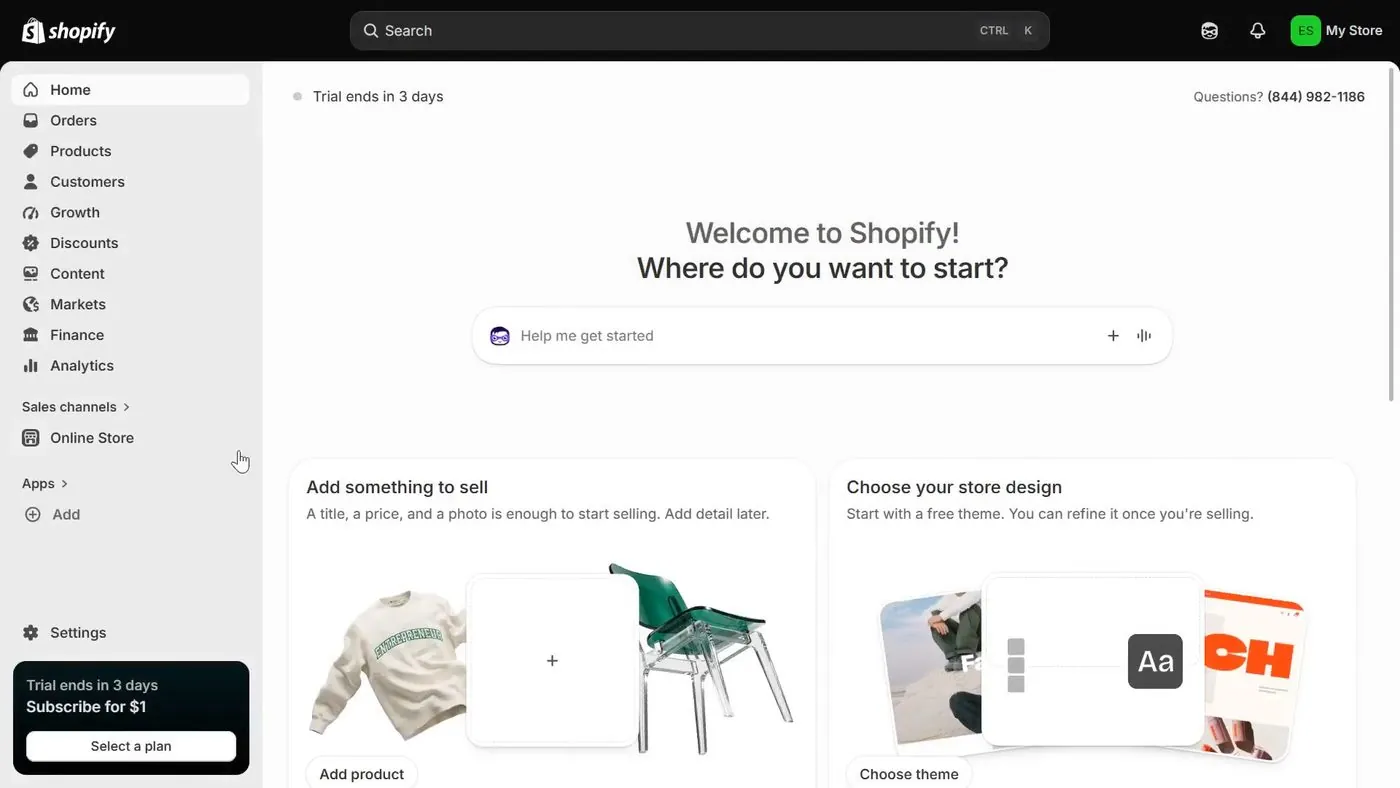
Is Shopify's $1 for 3 months offer real, and how do you avoid being charged?
A walk through the real signup screens, the exact fine print, the price after the $1 months, and the cancel steps.
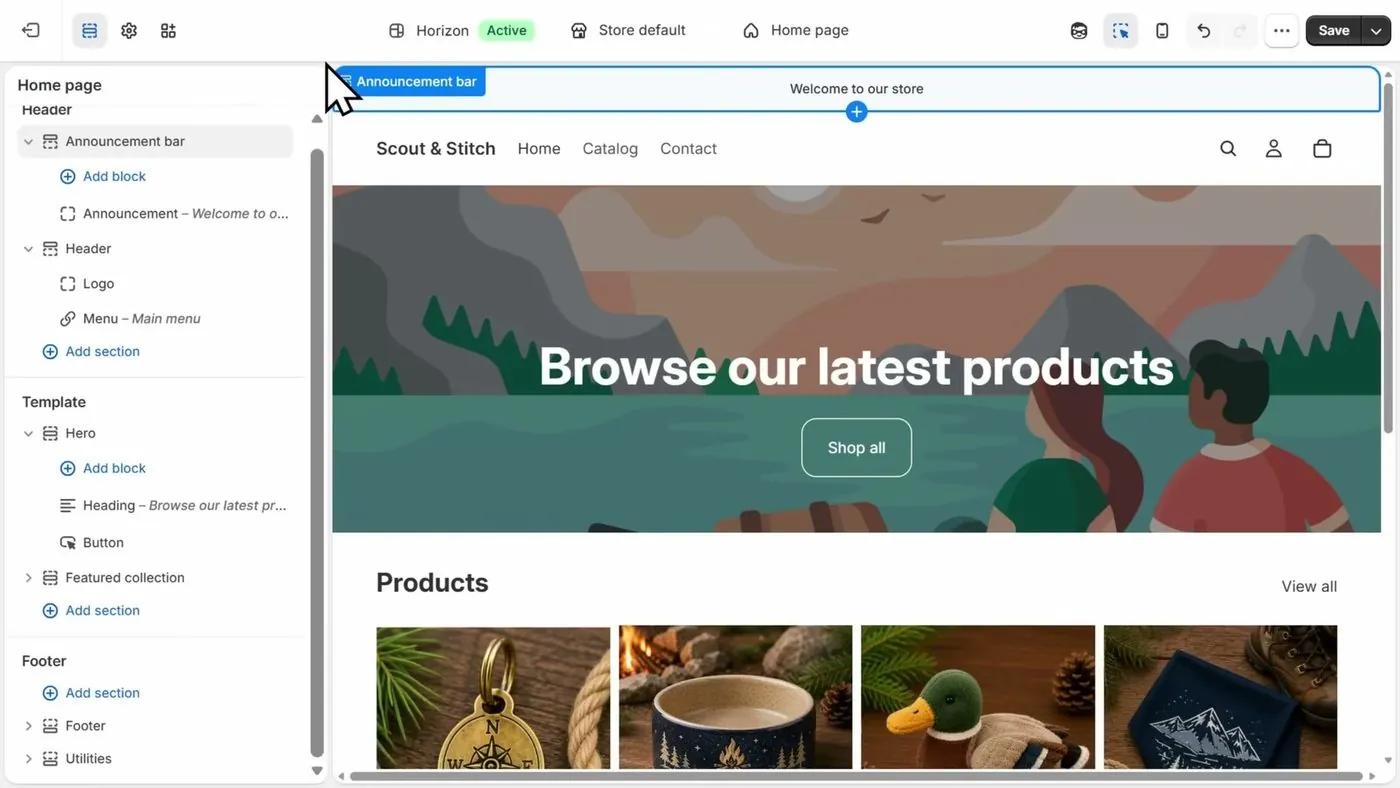
How to start a Shopify store, step by step, if you've never sold online
Every screen from signup to launch, in the order you'll see it, with what each one asks for and what you can skip.
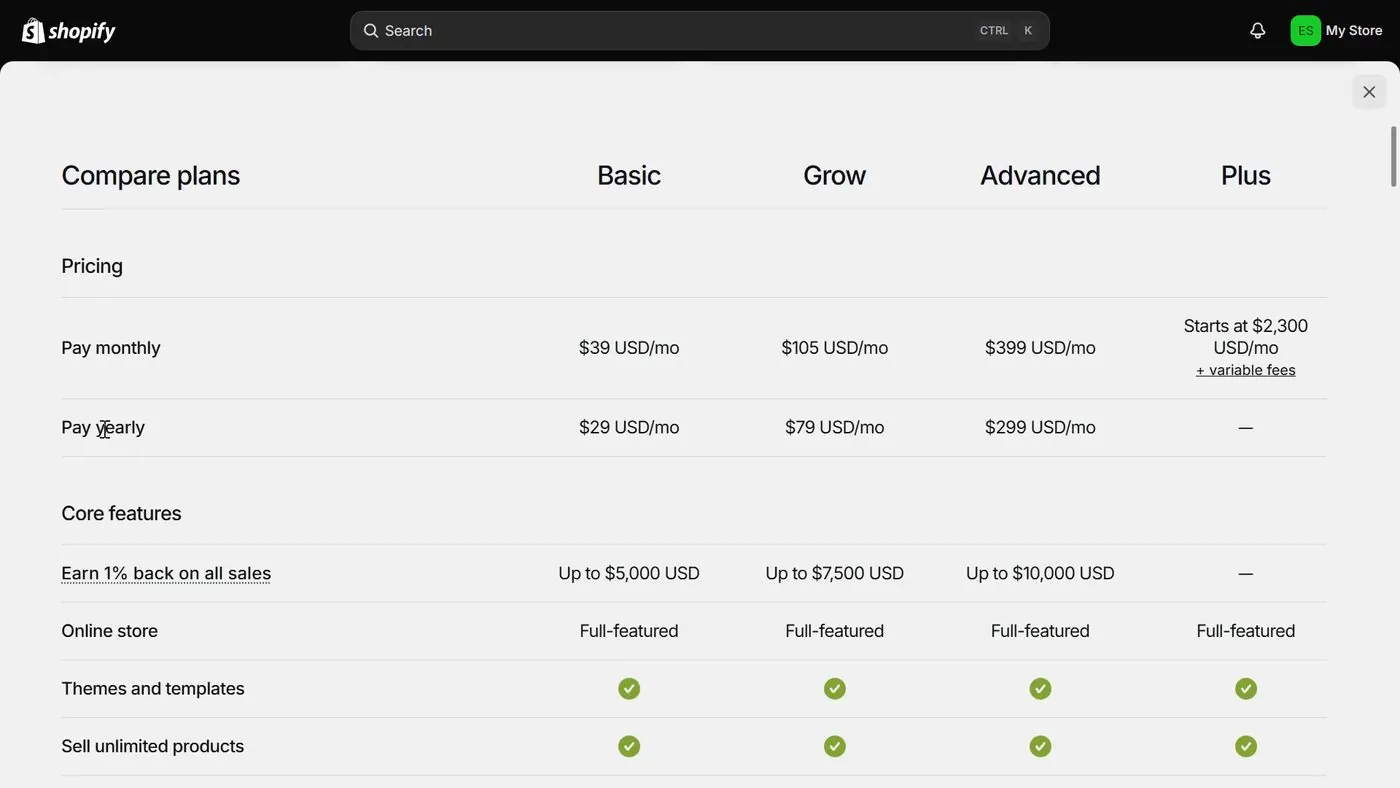
Is Shopify worth it in 2026? What it costs, what sellers complain about, and who it fits
A straight answer for someone who has never sold online, with the fee math shown so you can redo it.
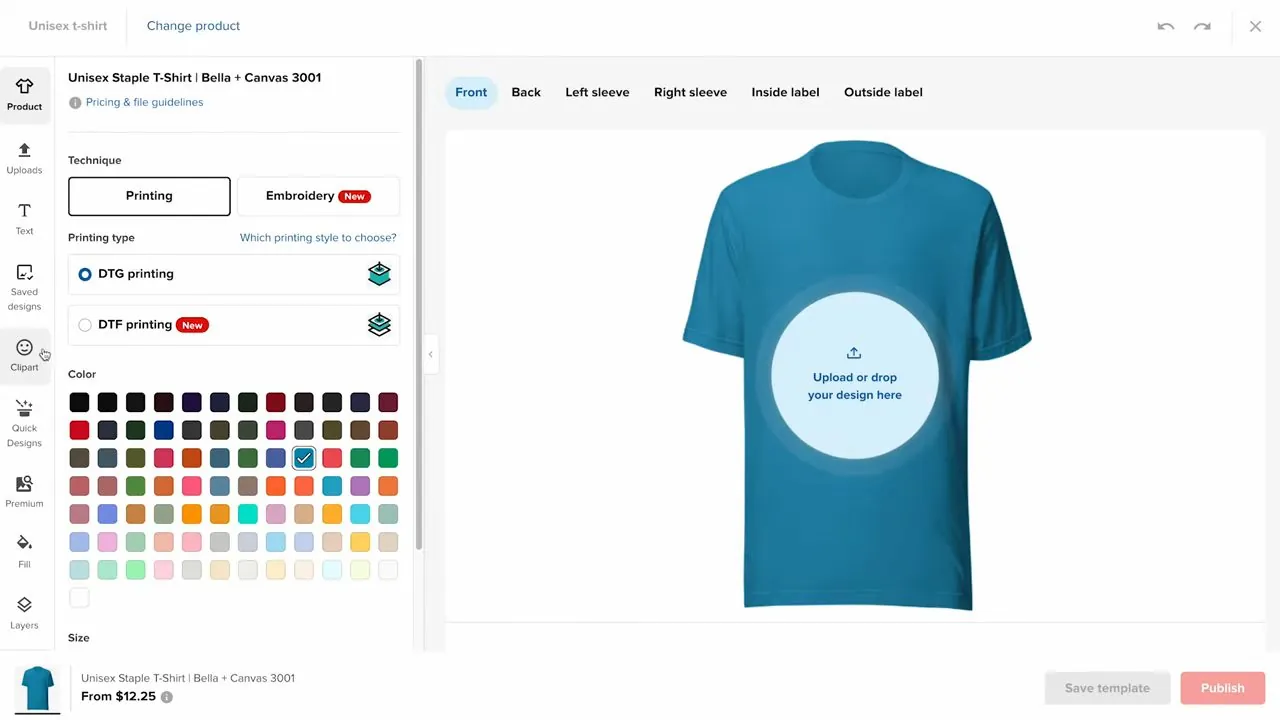
How do I start a print on demand store on Shopify with Printful or Printify, and what do I actually keep from each shirt?
The setup steps for both apps with real screens, how orders and payment move, and the profit on one $24.99 shirt worked out line by line.
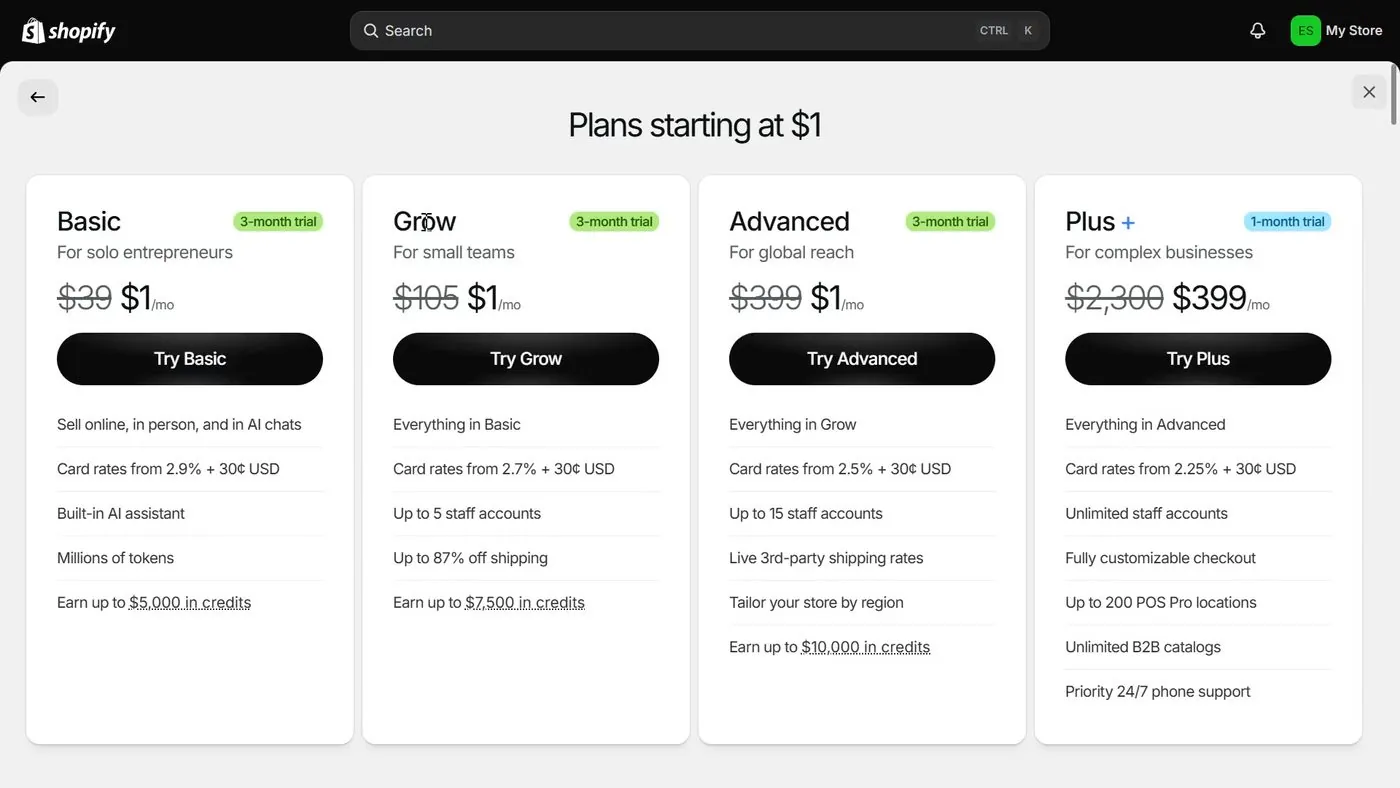
Shopify plans explained: Basic vs Grow vs Advanced, and which one a beginner should pick
Start on Basic. Here is what Grow and Advanced add, what each costs, and the sales level where paying more actually saves money.
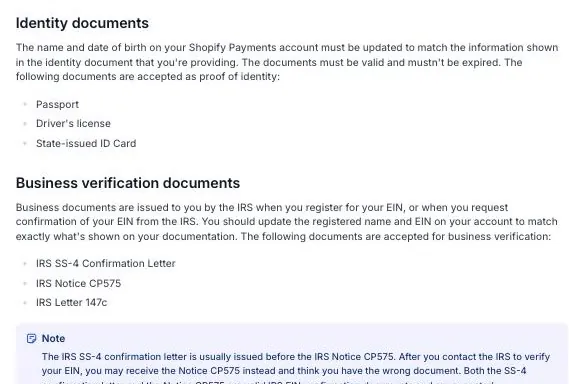
Shopify suspended my store before I even launched: why it happens, how to appeal, and how verification works
What Shopify's rules say about closing a store, the appeal steps Shopify prints, the documents Shopify asks for in the US, and what sellers have posted.
- Shopify Help Center, payout timing, payout schedule, lower or missing payouts, account holds and reserves, all checked October 17, 2026.
- Shopify Help Center, chargeback process and types of charges, checked October 17, 2026.
- Shopify, Shopify Payments terms of service (US), read October 17, 2026.
- Shopify, pricing page, card rates and outside provider fees, checked October 17, 2026.
- Stripe, pricing, 2.9% + 30¢ for domestic cards, checked October 17, 2026.
- Etsy, Etsy Payments policy, and WooCommerce, WooPayments payout schedule, checked October 15, 2026.
- Seller reports, Shopify Community: June 3, 2025 post, June 29, 2026 post and August 1, 2026 post, read October 17, 2026.
- Photos: Shopify Payouts page screen from Mavency's video (uploaded July 2023) and payout hold notice from Thrive Media's video (uploaded June 2024), both checked October 17, 2026. Reserve examples screenshot from Shopify's reserves page, taken October 17, 2026.
Online Store Buddy is an independent site. We're not affiliated with or endorsed by Shopify, Etsy, Amazon, WooCommerce, Wix or Squarespace. Those names are trademarks of their owners.