
Quick picks
What do the words dropshipping, supplier and payout mean?
Now a few words come up all the way through this page, so here is what each one means.
- Dropshipping: You sell a product on your store, but you never hold it or ship it. Shopify's own words are that you "sell products without handling inventory or shipping." You still answer customers and track orders.
- Supplier: The company that holds the product and ships it to your customer after you place the order with them and pay them.
- DSers: An app that sits between your Shopify store and your supplier. It imports products, helps you set prices, and sends your orders to the supplier. It is not a supplier itself.
- AliExpress: A large online marketplace where many suppliers sell. DSers connects to AliExpress, and AliExpress is where you pay for each product you sell.
- Payment processor: The company that takes the customer's card and moves the money. The payment processor Shopify runs itself is called Shopify Payments.
- Payout: The money Shopify Payments sends to your bank account after a customer pays.
- Chargeback: A customer asks their card company to take the money back. Shopify charges $15 per chargeback in the US (checked October 17, 2026 on Shopify's chargeback page).
- Shopify admin: The back end of your Shopify store, where you add products and see orders.
I'll mark each fact as a law, a platform rule, a reported experience, or my own assumption for the math. Prices are US dollars for a US store.
What does Shopify itself say about dropshipping?
So Shopify's dropshipping help page (checked October 17, 2026) says you "remain responsible for customer service and order tracking." Shopify also says it prefers suppliers with warehouses in central locations, because those ship faster.
Shopify's page on choosing suppliers (checked October 17, 2026) gives four useful pointers:
- Most legitimate suppliers don't charge their customers monthly fees. That line is about suppliers. The dropshipping apps below are software, and some of those apps do charge monthly.
- A supplier that sells to the public at "wholesale pricing" is likely a dropshipper with inflated prices.
- Place "a few test orders" first, to see how fast items ship, how fast you get tracking, how well they pack, and how fast the supplier answers.
- Pick suppliers whose return and refund rules match your store's rules.
Shopify's what is dropshipping page calls dropshipping easy to set up. The page gives no success rate, no time to income, no profit margins and no startup cost. So I'll give you the math with labeled assumptions instead, and my is dropshipping worth it page covers the bigger question.
Which dropshipping app should I use with Shopify?
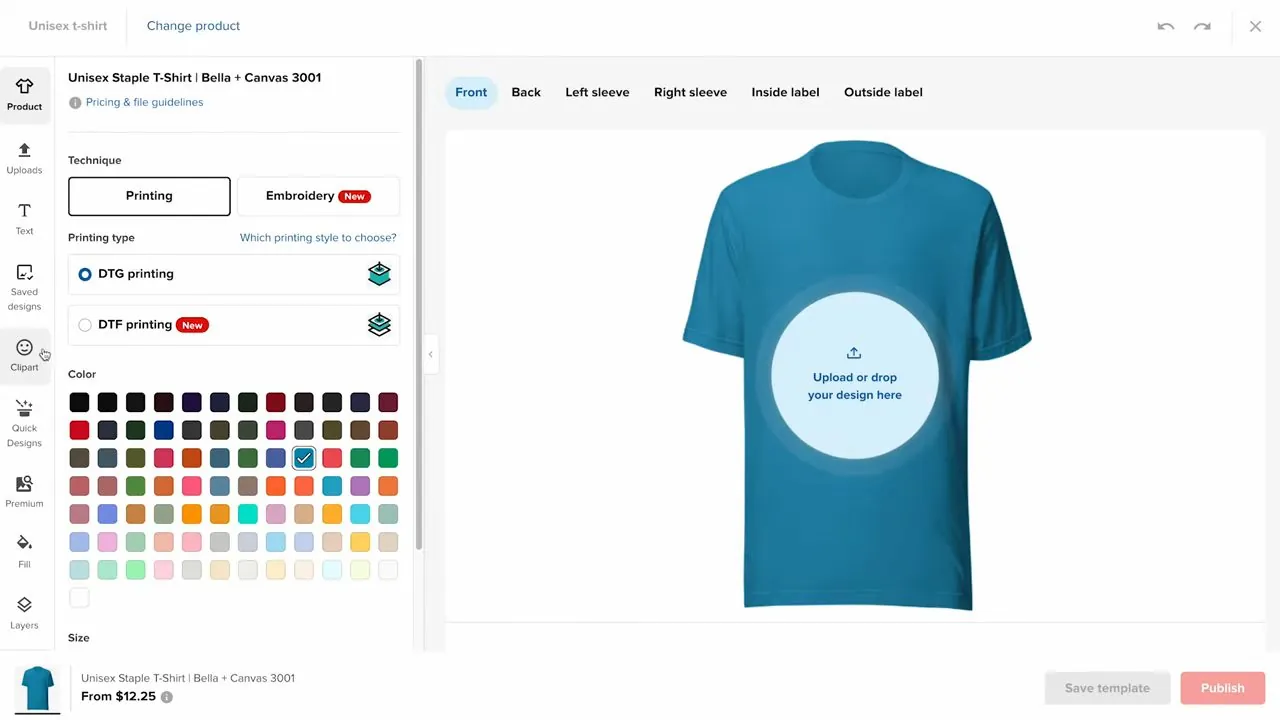
Basically, Shopify's own recommended list and the apps beginners meet first are two different lists. Shopify's recommended apps page (checked October 17, 2026) names these dropshipping apps: Shopify Collective, DropCommerce, Syncee and Dropship: EU & US Dropshipping. For print on demand, where a company prints your design on each order, it names Gelato and Printful. My print on demand page covers that route.
Shopify's list does not name DSers, Zendrop, Spocket or AutoDS. Those four are the apps you will run into most in walkthrough videos and App Store searches, so I price them here too. That is a statement about what Shopify lists, not about which app is better.
Here are the plans on each app's Shopify App Store page, checked October 17, 2026. Each is billed in US dollars every 30 days unless the table says yearly. Ratings are what reviewers had posted on Shopify's App Store that day.
| App | Plans per month (USD) | Free trial | Rating on Shopify's App Store |
|---|---|---|---|
| DSers | Basic $0. Advanced $19.90 ($190.80 a year). Pro $49.90 ($478.80 a year). Usage beyond plan limits costs extra. | 14 days on Advanced and Pro | 5.0 from 6,375 reviews |
| Zendrop | Free $0, but no linked products allowed. Beginner $29 (1 to 20 linked products). Pro $49 (21 to 100). Plus $79 (101 and up). | None listed | 4.5 from 1,273 reviews |
| Spocket | Free $0. Starter $39.99. Pro $59.99 ($288 a year). Empire $99.99 ($684 a year). | 7 days on paid plans | 3.5 from 626 reviews, 14% of them one star |
| AutoDS | Import 200 $26.90 ($248.70 a year). Starter 500 $39.90 ($368.70 a year). Advanced 1K $66.90 ($608.70 a year). | 3 days on each plan | 4.6 from 1,324 reviews |
| DropCommerce (on Shopify's list) | Free $0 (25 products). Basic $29. Growth $55 ($349 a year). Pro $95 ($499 a year). | 14 days on paid plans | 4.7 from 128 reviews |
| Shopify Collective (on Shopify's list) | Free. The listing says "No setup fees, no high commissions!" | Not applicable | 4.4 from 453 reviews |
A few things to note about that table:
- DSers' free Basic plan is the plan the walkthrough video below uses from start to finish.
- Zendrop's free plan lets you browse its catalog but link no products. So you can't sell anything from Zendrop until you pay $29 a month.
- DropCommerce's free plan stops at 25 products.
- Shopify Collective lets you import products from eligible Shopify brands. The supplier ships the order and handles returns, and the listing says payments are processed automatically when the items ship. The Collective listing names nine countries products come from: the US, Canada, the UK, Australia, Denmark, Germany, Japan, the Netherlands and Spain. Which brands are eligible is spelled out on the Collective page.
- Syncee and Dropship: EU & US Dropshipping are on Shopify's list, and their prices are on their own listings. The Dropship: EU & US Dropshipping listing now calls the app AI Dropship: Auto Dropshipping (checked October 17, 2026).
- Reviews: Spocket's 14% of one-star reviews is the weakest showing of the apps above. AutoDS's page shows one recent one-star review about repeated auto-ordering errors and slow replies. Collective's page shows one merchant who says a supplier payment never arrived. Those are single reports on a listing, not a pattern.
How do I set up a Shopify dropshipping store with DSers, step by step?
Now here are the twelve steps, in the order the screens come up. The screens below are DSers' pages in early 2026, from a video by Judge.me, the company behind a reviews app. DSers can change its layout, so go by the words on your own screen. Where a price differs from the screens, this page uses the live price from DSers' Shopify listing.
Step 1. Open your Shopify store.
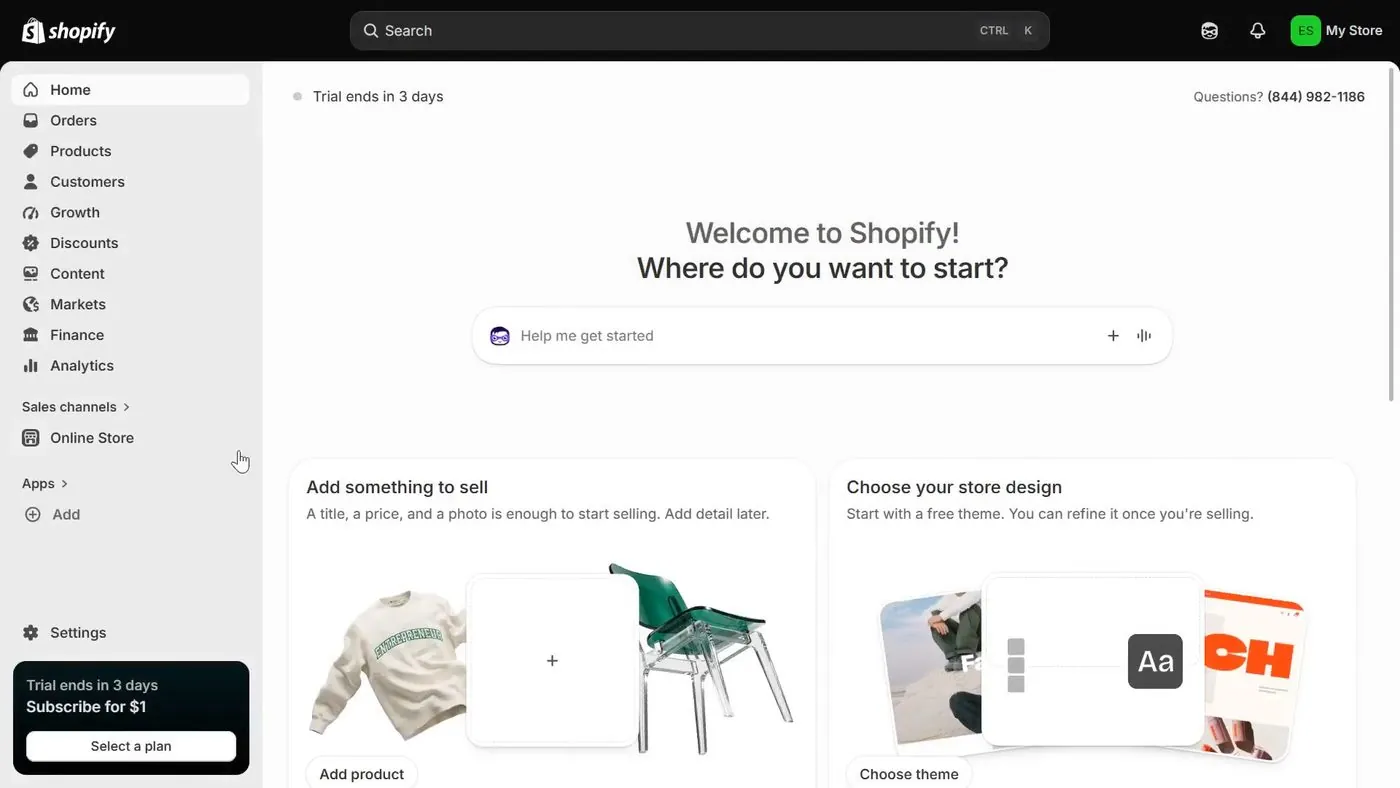
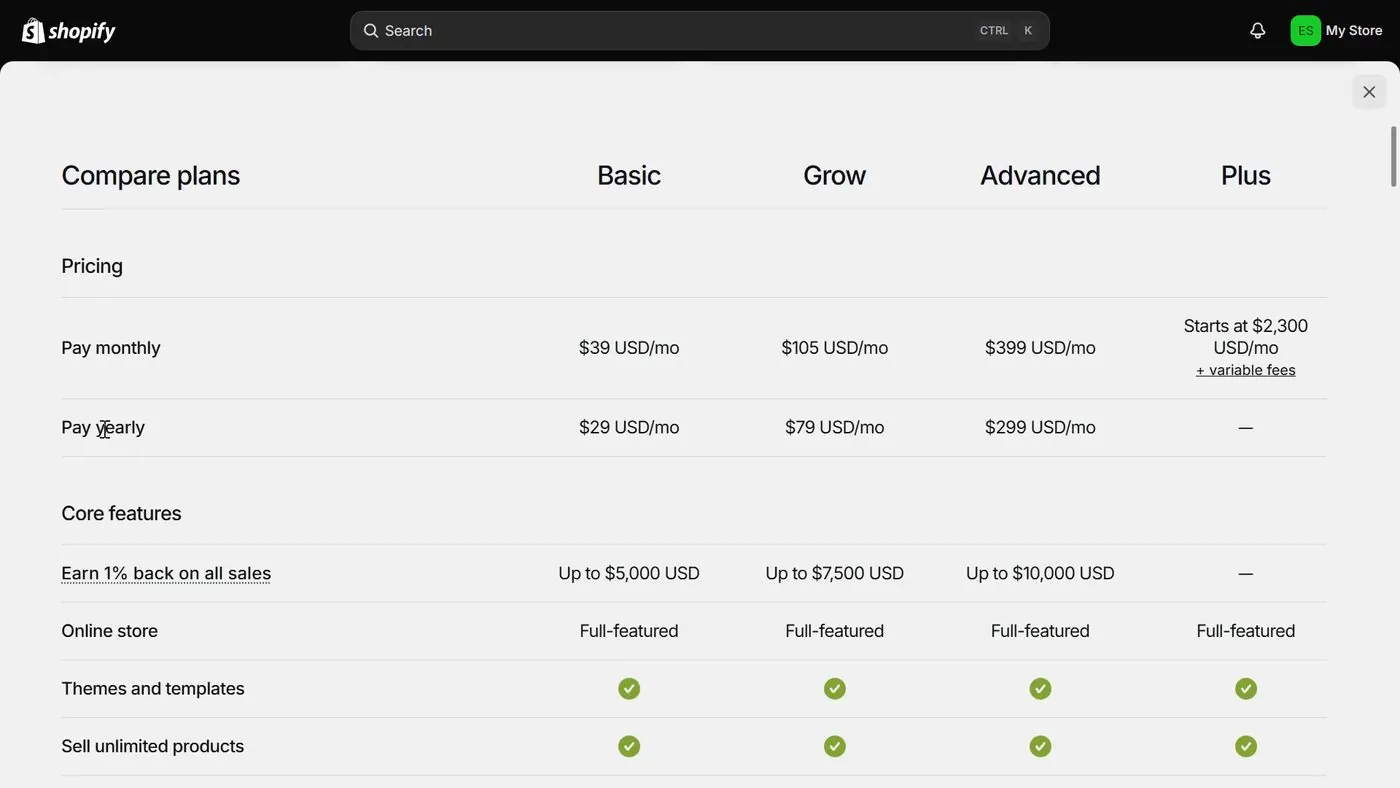
Everything starts with a Shopify store. My how to start a Shopify store page walks through the sign-up screens. And my free trial and $1 offer page explains the 3 days free and the $1 a month for 3 months. Keep in mind that the regular price starts in month 4, which is $39 a month paid monthly or $29 a month paid yearly on Basic, plus tax (checked October 17, 2026). And my LLC and EIN page covers whether you need either one before you open the store.
Step 2. Make a DSers account.
You create the account on DSers' own sign-up screen. The screen is titled "Create a DSers account," and it asks for an email address and a password. Then you click the orange GET STARTED button.
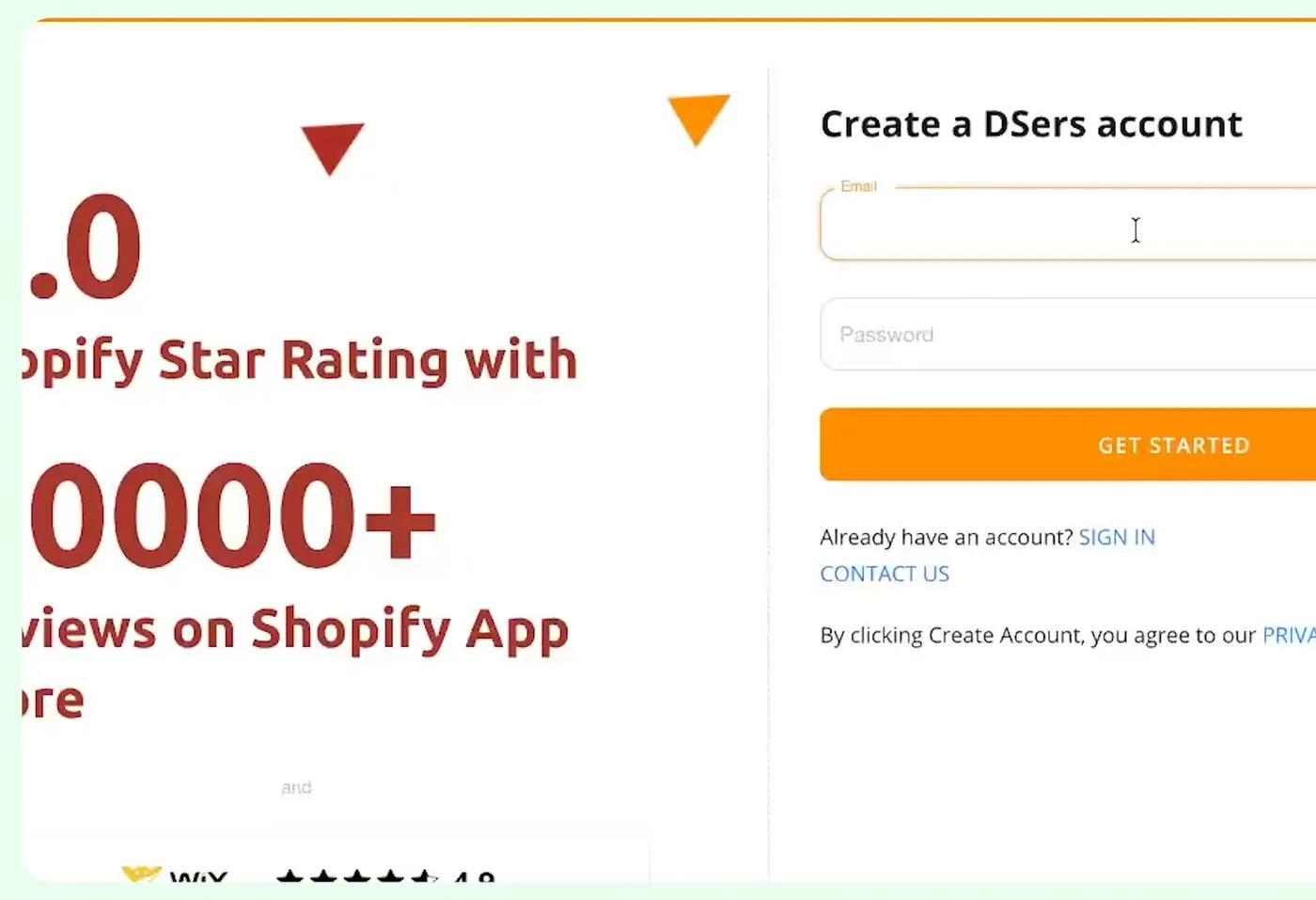
DSers' account screen asks for an email and a password, early 2026, from Judge.me's video.
Step 3. Choose Shopify as your platform and approve the install.
Next DSers asks "What platform do you want to access?" Shopify is the first tile, and DSers also lists Wix.com, WooCommerce, Jumpseller, Cartpanda, LPQV, eBay, Amazon and Walmart. You click the Shopify tile.
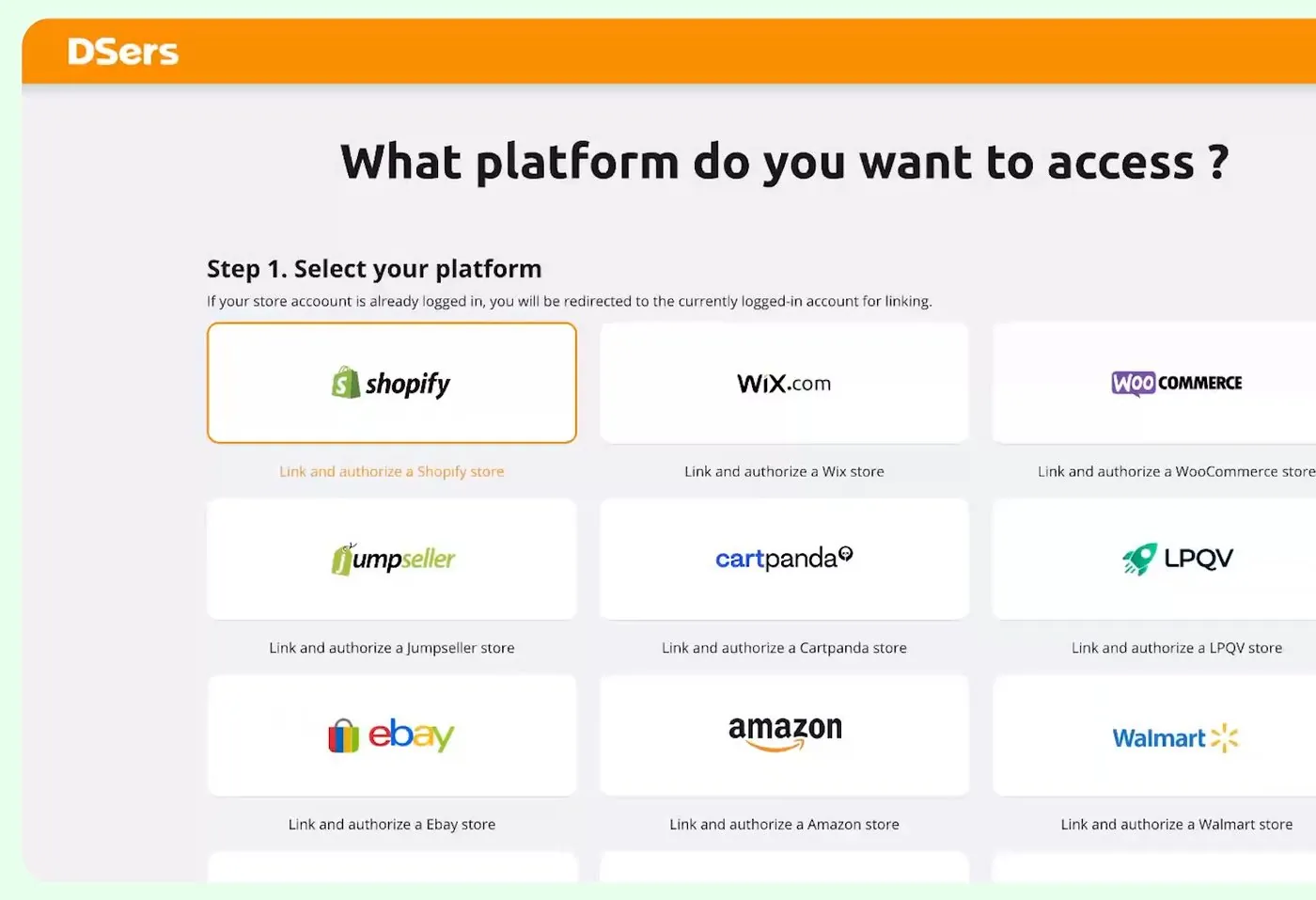
DSers' platform picker with Shopify highlighted, early 2026, from Judge.me's video.
A box called Install and authorize then opens with an Install button and a Cancel button. The box lists what the Shopify connection can see and do in your DSers account. Shopify can see the product cost, shipping cost and supplier order number, and it can edit shipping information, which includes the tracking number. Read that box before you click Install.
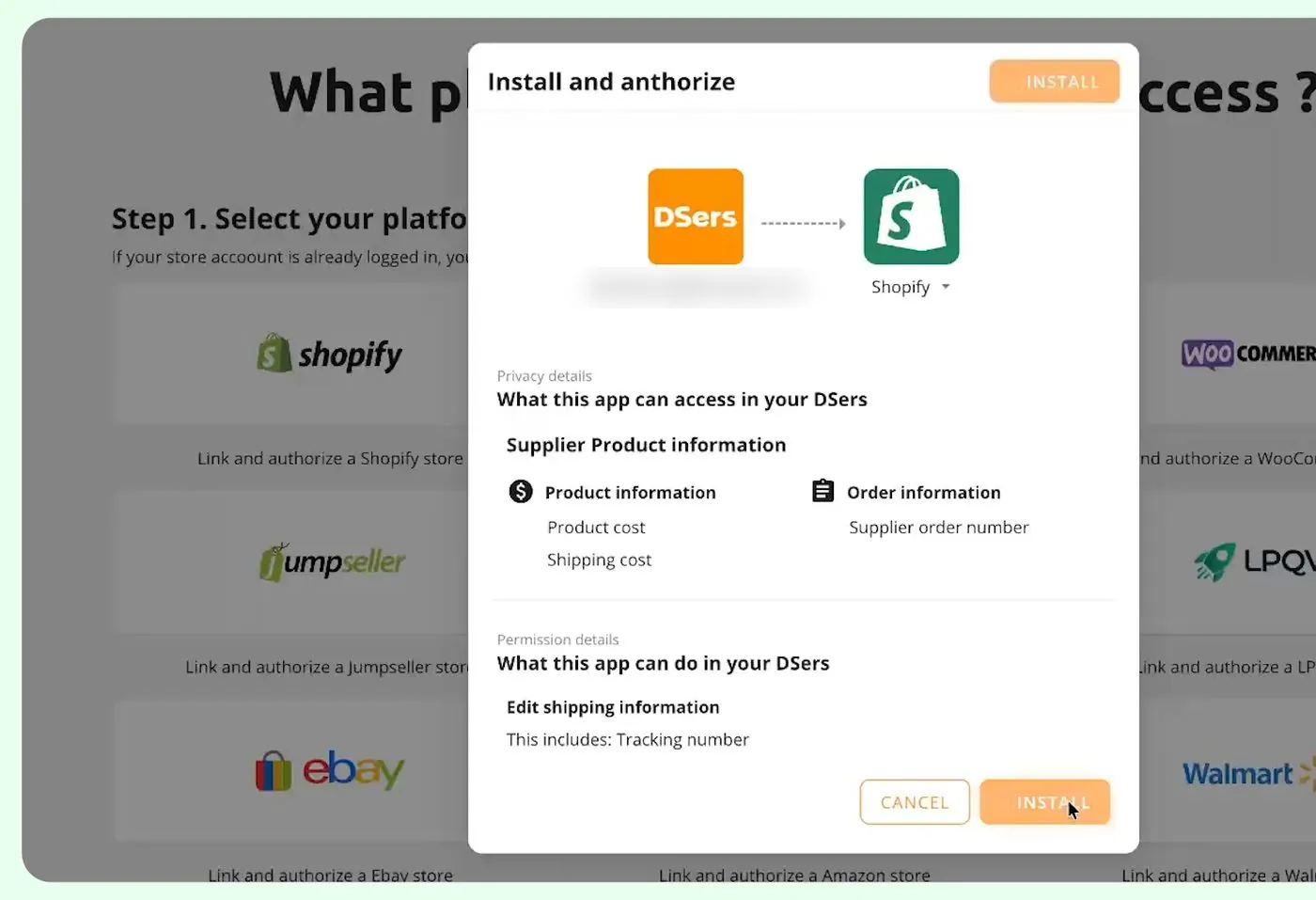
The install box lists what Shopify can see and edit in your DSers account, early 2026, with the account email blurred, from Judge.me's video.
Step 4. Pick a DSers plan.
The next screen says "Please select a plan to continue," with a Monthly and Yearly switch. Basic is free. Advanced is $19.90 a month and Pro is $49.90 a month, each with a 14 day free trial (checked October 17, 2026 on DSers' Shopify listing). I'd start with Basic, because a free plan costs nothing while you learn the screens.
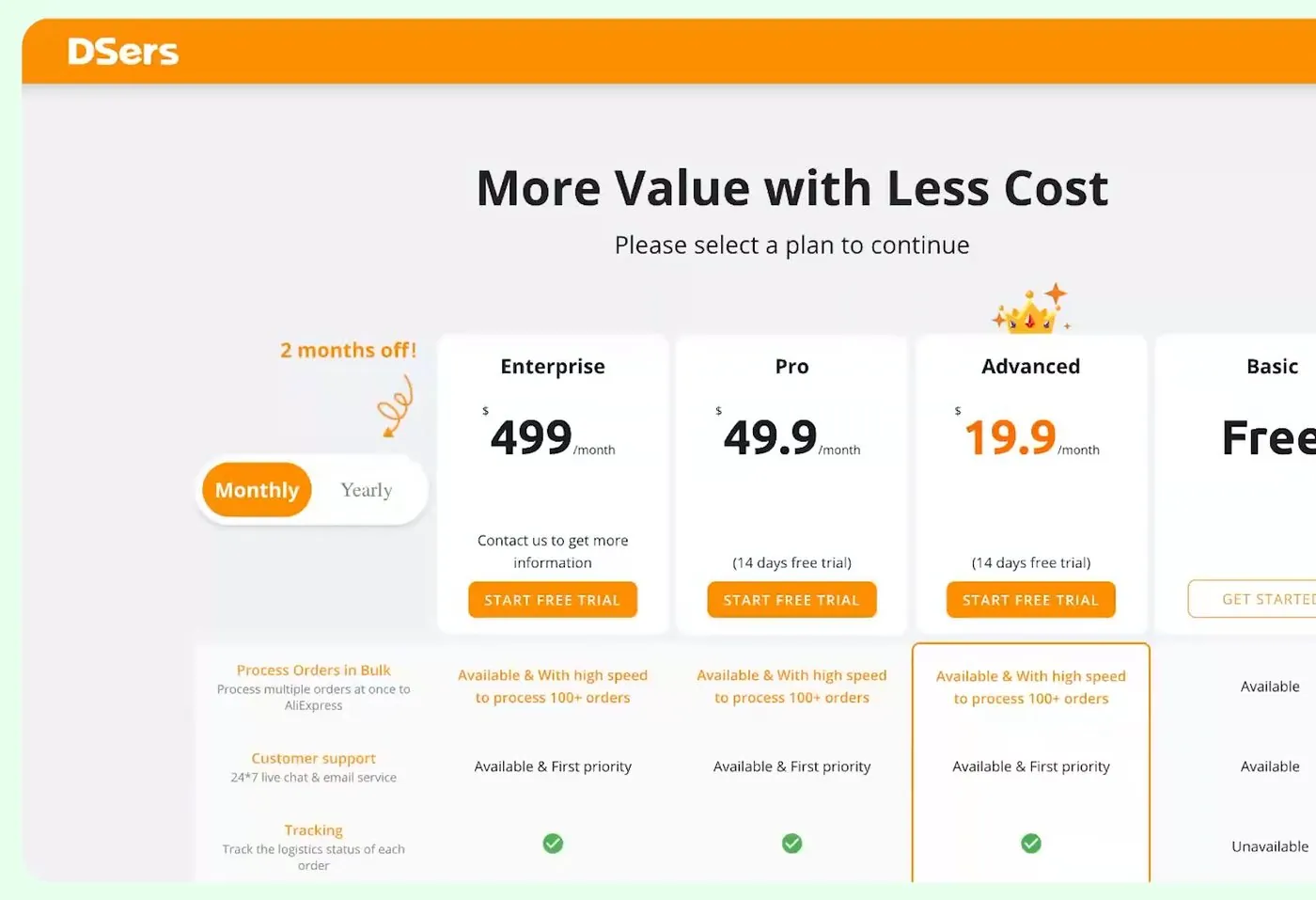
DSers' plan screen in early 2026, from Judge.me's video. The screen also shows an Enterprise plan with a note to contact DSers for more information. DSers' Shopify listing doesn't show the Enterprise plan, so I don't count it.
Step 5. Link your supplier account.
The screen says "Step 3. Link to suppliers" and shows an AliExpress tile. You click the AliExpress tile, log in to your AliExpress account (a free account), and click the authorize button there. If you don't have an AliExpress account, the screen has a link to make one.
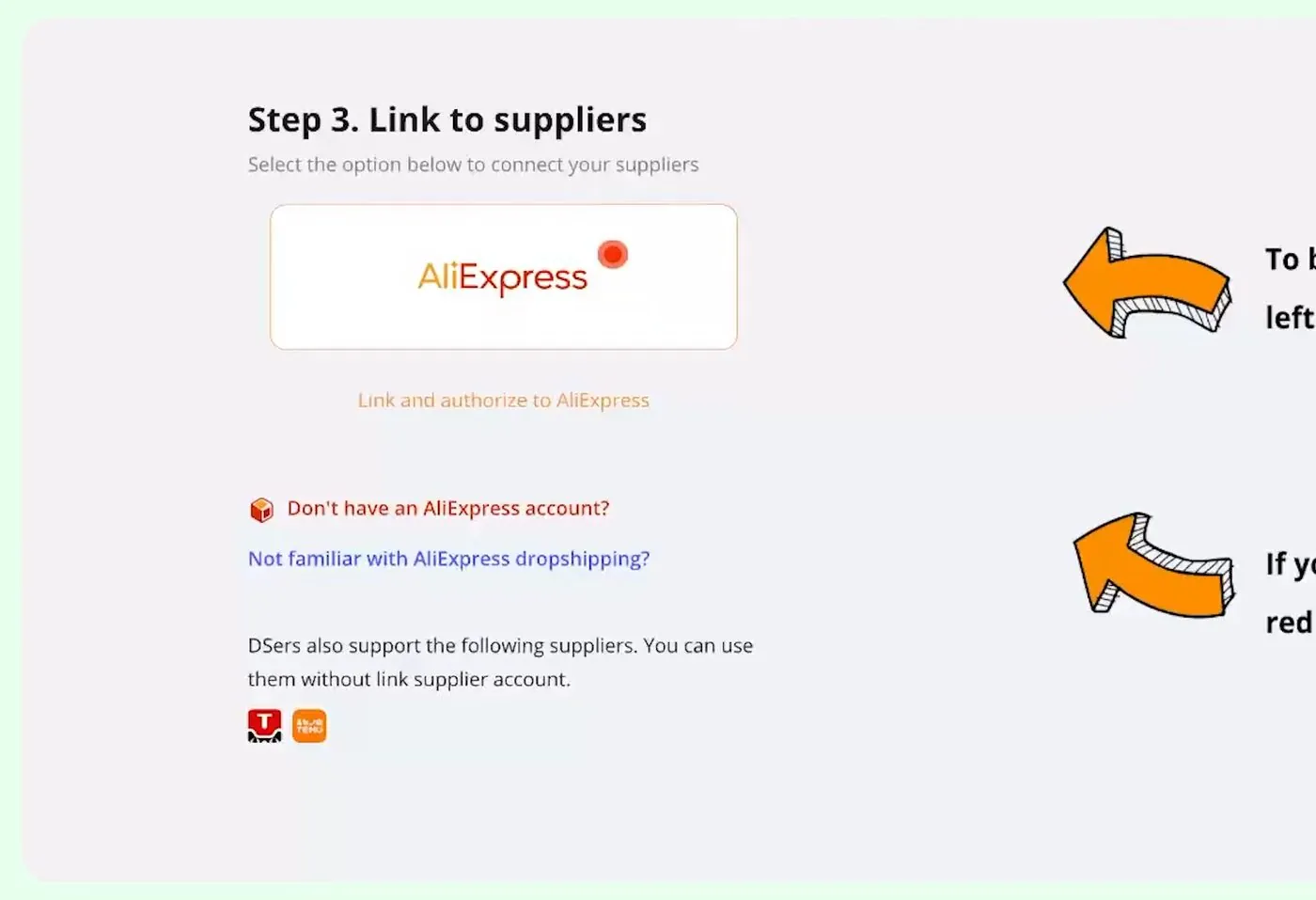
DSers' supplier linking screen, early 2026, from Judge.me's video.
Step 6. Paste a product link into the import list.
DSers' Import list page says you can import and manage a supplier's products there before publishing them to your store. You open a product on AliExpress, copy the page link, paste the link into the box and click OK.
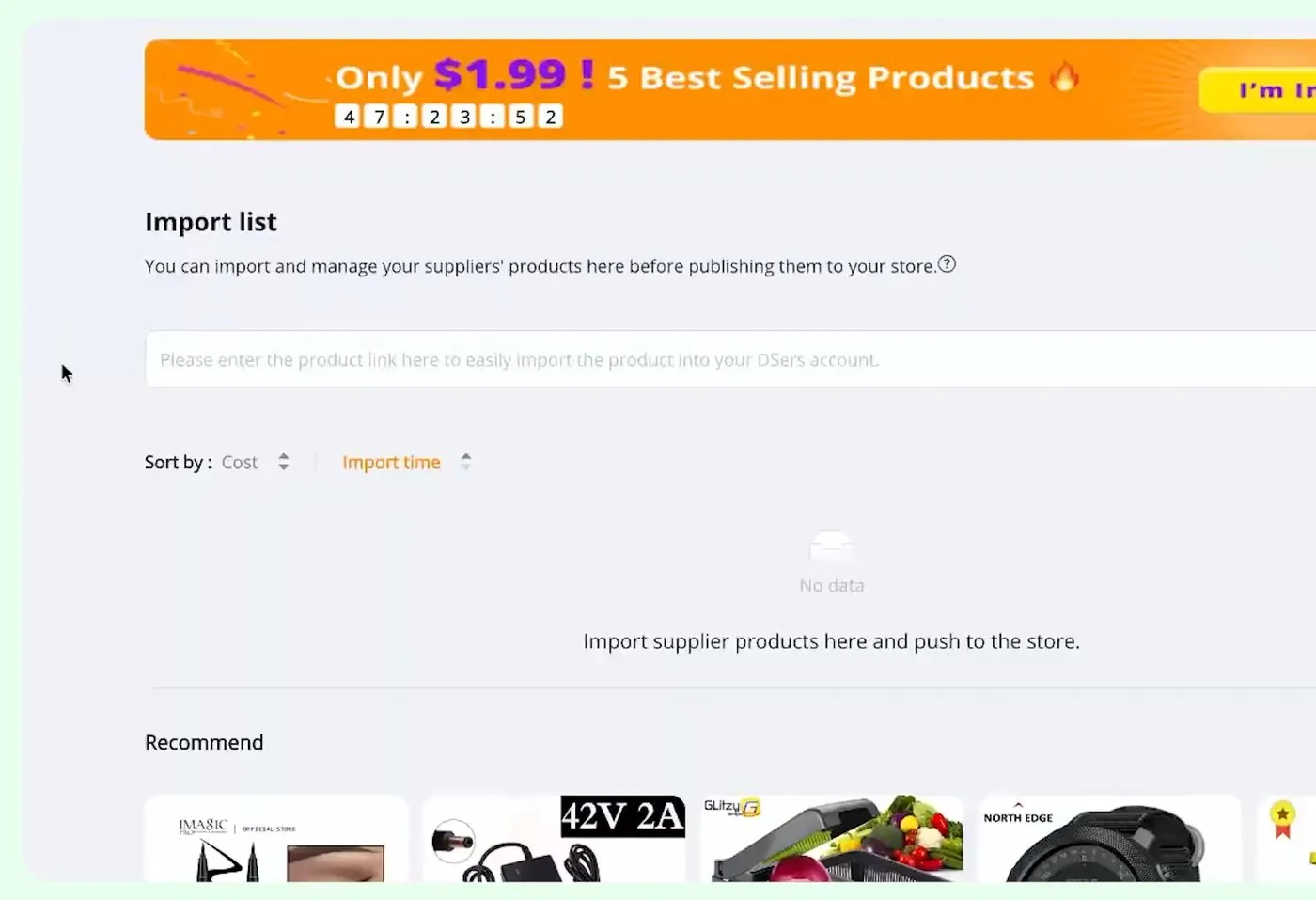
DSers' empty Import list with the product link box, early 2026, from Judge.me's video.
Step 7. Set the country you sell to.
Next to the link box is a small flag. Hover over the flag and a label says "Product synchronization rule." That setting tells DSers which country's supplier data to fetch, such as shipping cost. The video sets it to United States. You also pick an import language, English in the video.
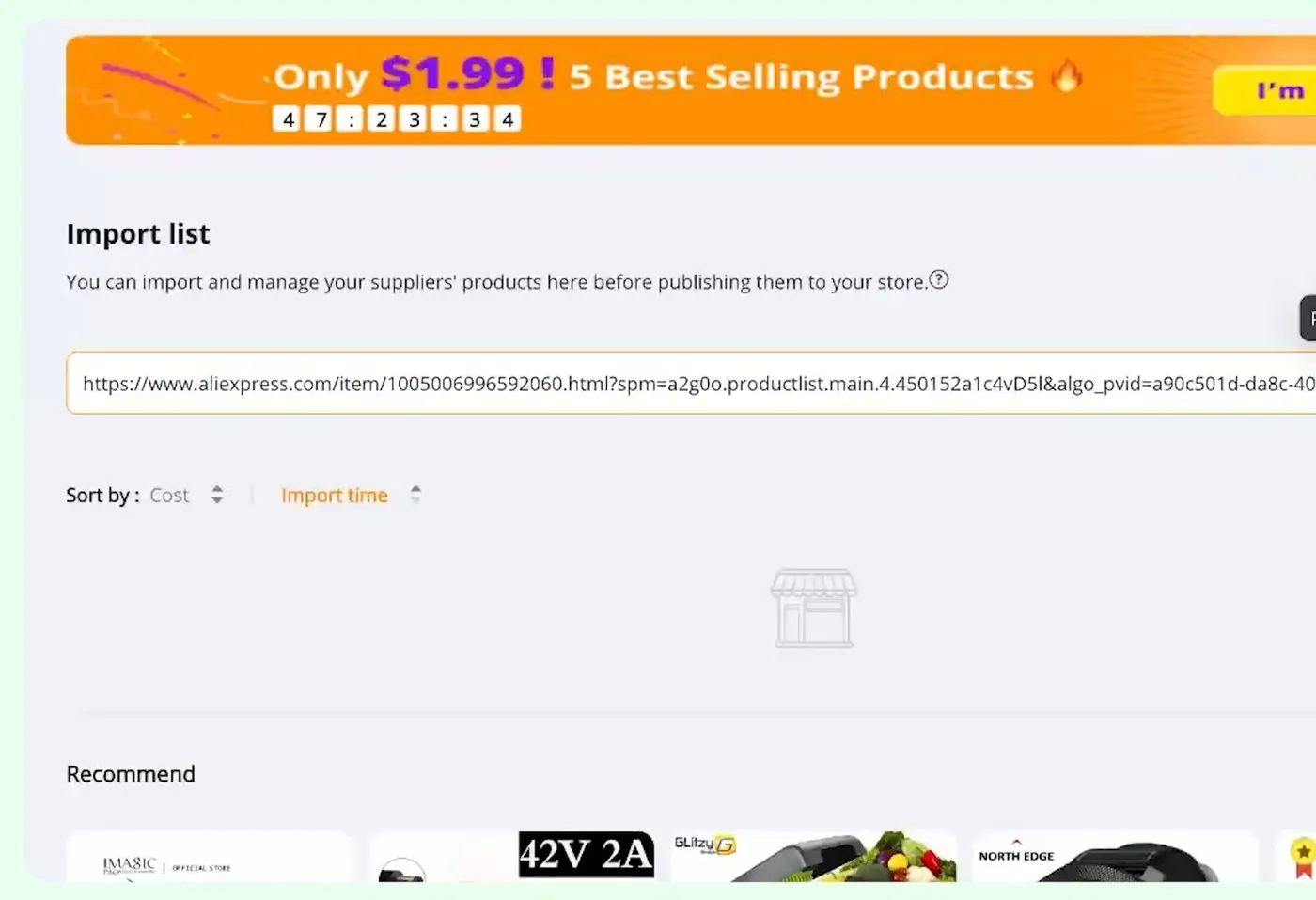
An AliExpress product link pasted into DSers' Import list, early 2026, from Judge.me's video.
Step 8. Edit the product before it goes live.
DSers then opens a box called Edit Product Detail with five tabs: Products, Variants, Description, Images and Shipping info. A variant is one version of a product, like a color or a size. The Variants tab shows a row for each version with its product cost, shipping cost, tax and import charges, total cost, profit margin, price, compare at price and stock. So the Variants tab is where you see your cost and your margin before anything is published.
The video says to rewrite the product description and images instead of keeping the supplier's.
Step 9. Set your price with a pricing rule.
You don't have to type a price for every variant. DSers has a Basic pricing rule, where product cost times a percentage equals your price. It also has a Standard pricing rule, where you set a different markup for each range of product cost, either an amount or a multiplier.
Something to note is that the 300% in the screen below is only a number the presenter typed into the demo. It is not a recommendation.
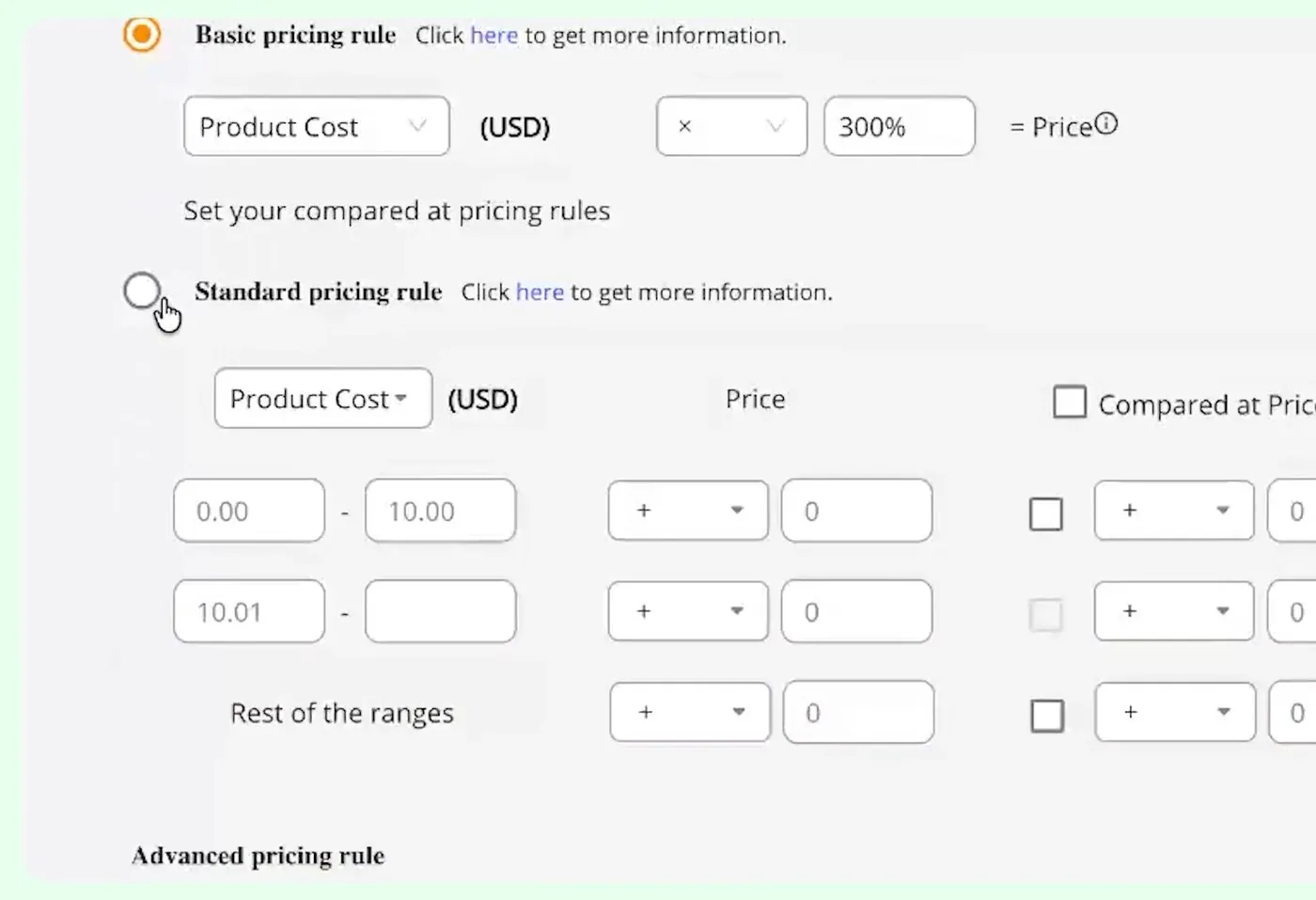
DSers' Basic and Standard pricing rules, early 2026, from Judge.me's video.
Step 10. Check the shipping info before you promise anything.
The Shipping info tab shows the shipping cost, the supplier's estimated delivery time and whether tracking is available, for the country you pick. The text at the top says shipping information will not be pushed to your store when you publish. The Shipping info tab is only there to give you an estimate.
That one line matters a lot. DSers does not put a delivery time on your store. So you have to write the delivery time yourself, and the section on delivery times below explains the Shopify rule and the federal law behind that.
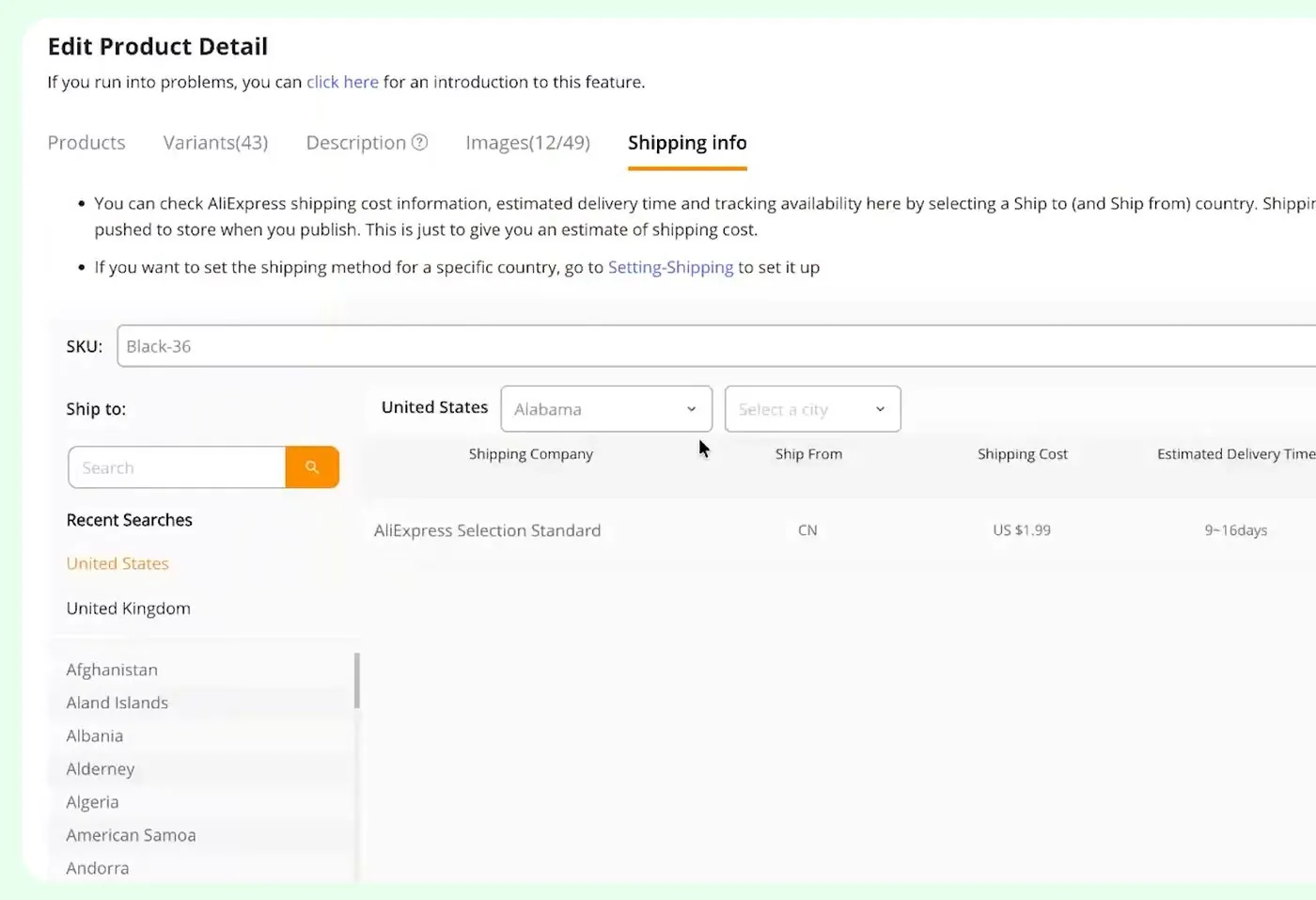
DSers' Shipping info tab for one product shipped to Alabama, early 2026, from Judge.me's video. The 9 to 16 days belongs to that one product and that supplier, not to dropshipping in general.
Step 11. Push the product to your store as a draft.
When you are ready, DSers opens a Push Products box. You pick your store, then tick or untick boxes under Preferences. The first boxes are Continue selling when out of stock, Set product status as Draft, Automatic Inventory Update and Automatic Price Update. The rest are Manual Price Update, Also publish to Online Store, Only push products' specifications, and Push all images to your online store. A table at the bottom shows the product cost, shipping cost and price for what you are pushing.
The video recommends ticking Set product status as Draft. A draft product is saved in your Shopify admin but hidden from customers, so you can finish editing in Shopify first. The presenter left that box unticked in the demo.
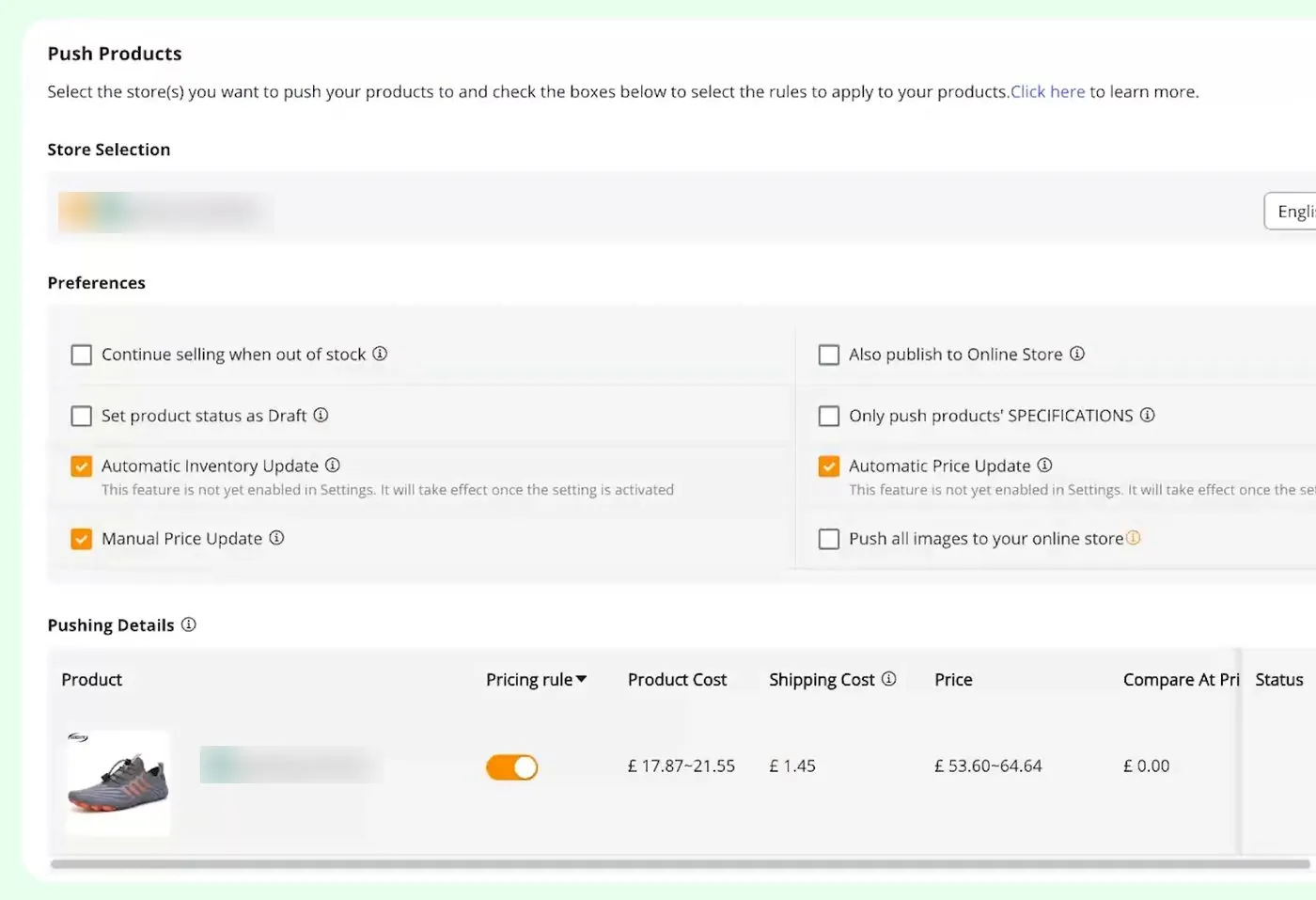
DSers' Push Products options, early 2026, with the store name blurred, from Judge.me's video. That demo store is set to British pounds.
After the push, open Products in your Shopify admin. The pushed product shows with a Draft label, next to your live products marked Active.
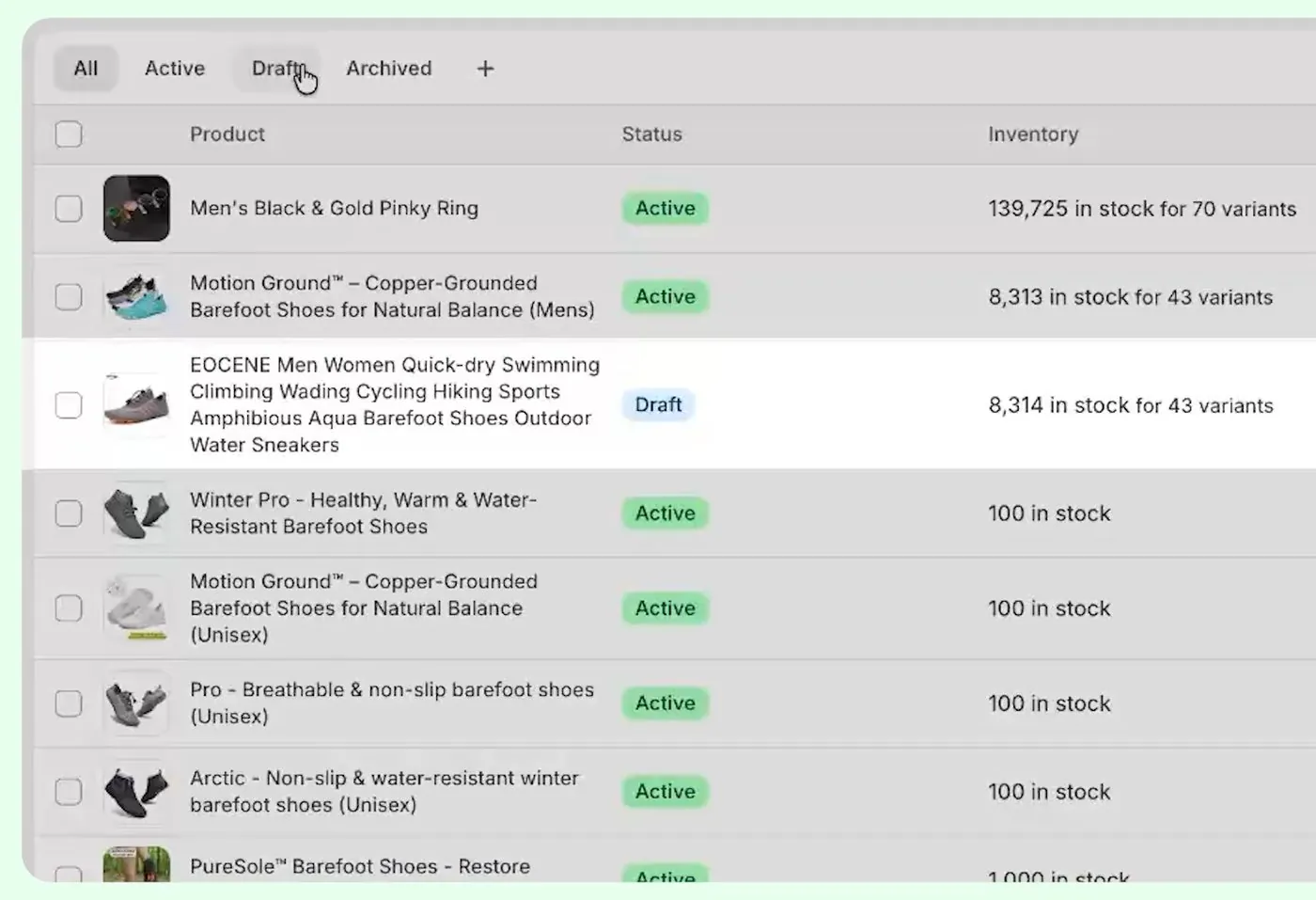
Shopify's Products list showing a pushed product as Draft, early 2026, from Judge.me's video.
Step 12. Know what happens when an order comes in.
In DSers, orders sit on tabs: Pending, Awaiting order, Awaiting payment, Awaiting shipment, Awaiting fulfillment, Fulfilled, Canceled and Failed orders. A new order lands in Awaiting order. You click the orange Place order to AliExpress button.
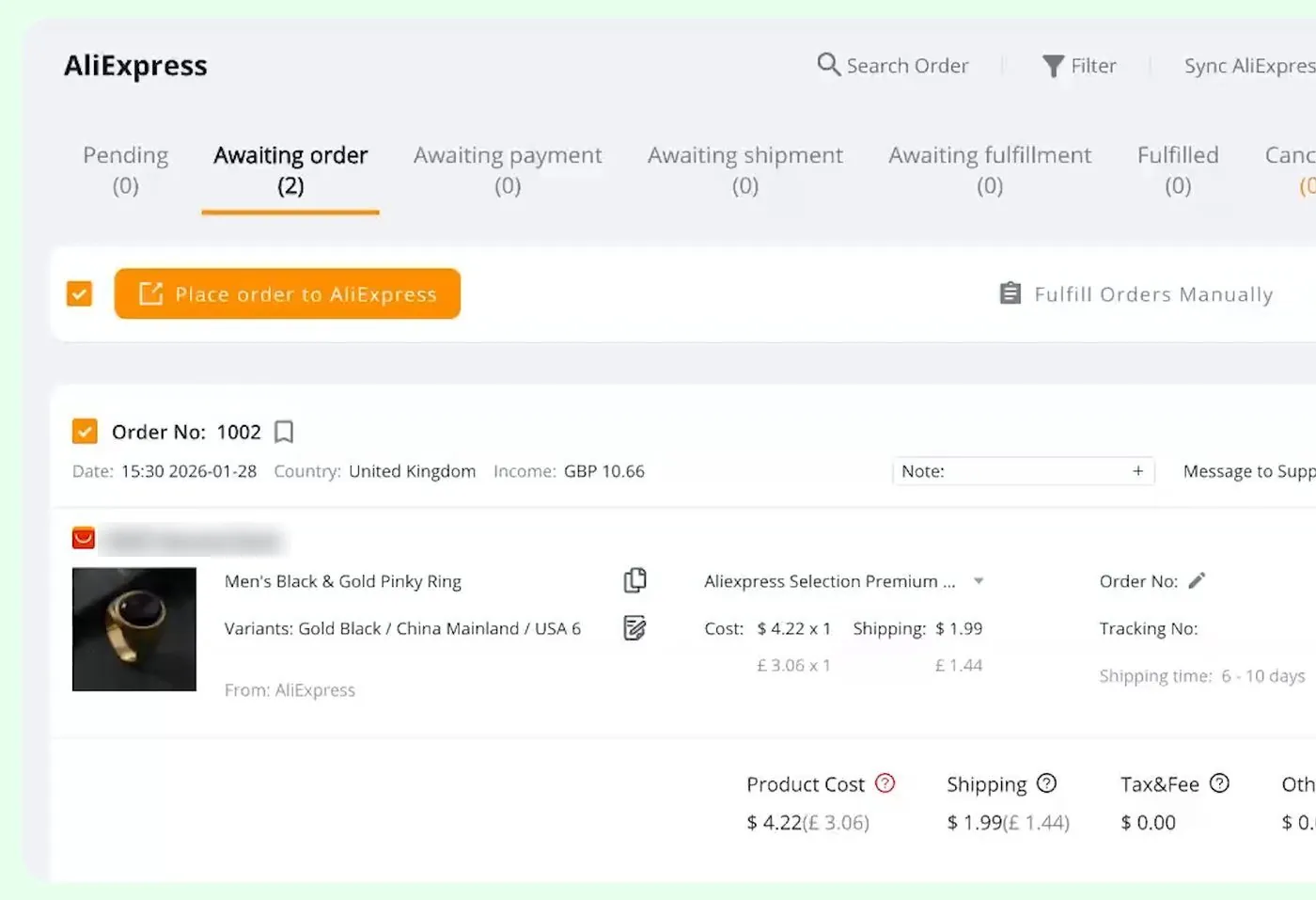
DSers' Awaiting order tab with the Place order to AliExpress button, early 2026, from Judge.me's video. The demo order is for a UK customer, so the screen shows US dollars with pounds next to them, and the supplier's store name is blurred.
A box first asks you to check the shipping information, listing the shipping fee, shipping time, tax and fee, and the total. Then DSers shows an invoice from AliExpress, in the video $6.03, with a Go to AliExpress button. You pay the invoice on AliExpress.
After that the order moves from Awaiting payment to Awaiting shipment to Fulfilled. The tracking number goes back to Shopify and Shopify emails the customer. In the video's example the order reached Fulfilled after 3 days. That is one example, so don't count on it.
Now notice when the money moves. You pay the supplier at the moment you place the order. The customer's money reaches you later, and the cash gap section below covers that.
How much does the first month of a Shopify dropshipping store cost?
Here is the first-month cost table. I show two setups. The lean one uses the $1 Shopify offer and free apps. The padded one pays Shopify's regular monthly price and a paid app. Prices come from Shopify's pricing page, Shopify's domains page and the app listings above, all checked October 17, 2026. Every line says whether it is a platform price or my assumption.
| Line | Lean first month | Padded first month | Where the number comes from |
|---|---|---|---|
| Shopify Basic plan | $1 | $39 | Platform price. Lean is the $1 offer, 3 days free then $1 a month for 3 months. Padded is Basic paid monthly. Month 4 is $39 paid monthly or $29 a month paid yearly. Tax is extra. Checked October 17, 2026. |
| Domain name (your own web address) | $0 | $9 | Platform price. Lean uses the free myshopify.com address Shopify gives you. Padded is a year of a custom domain, which Shopify says "typically" starts at $9 a year. Checked October 17, 2026. |
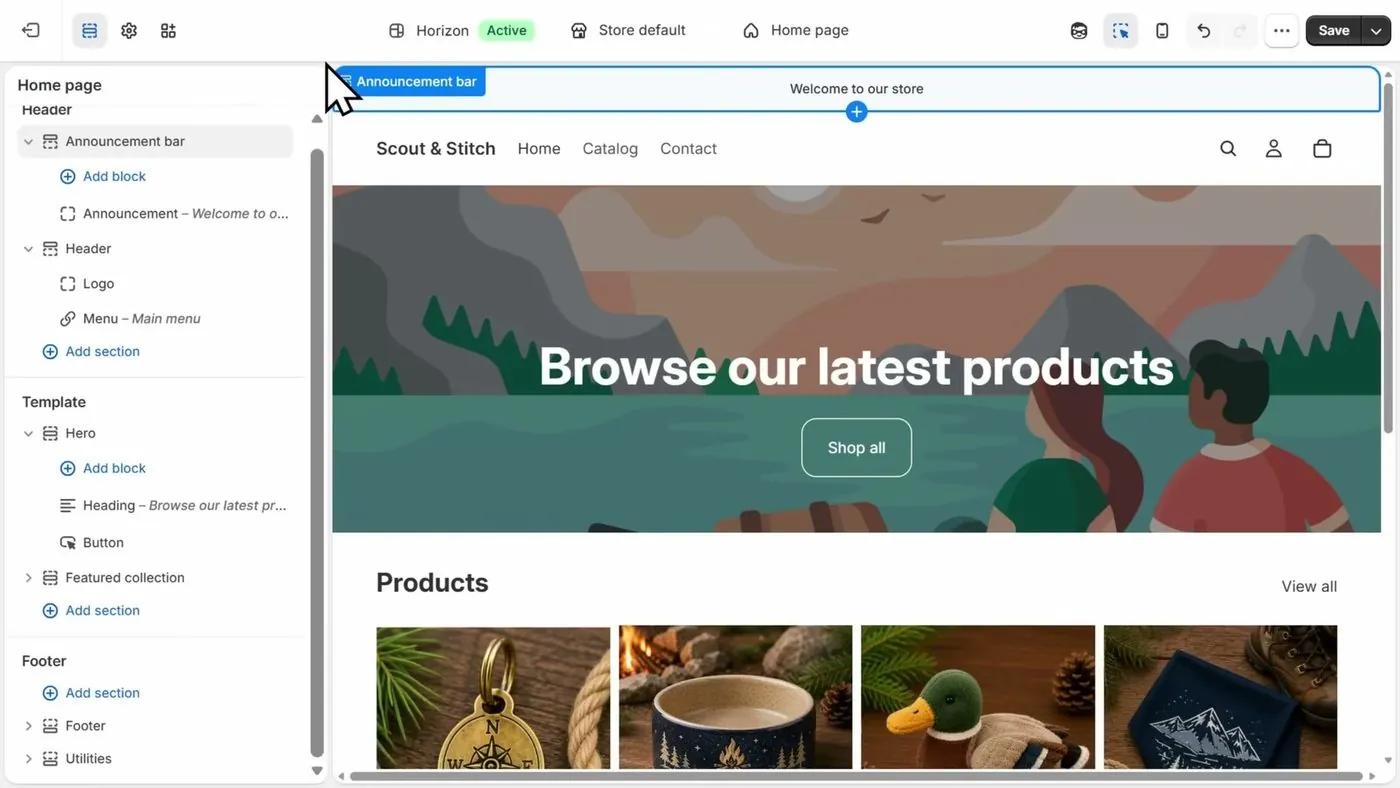
| Store theme (the design template) | $0 | $0 | Platform fact: Shopify has free themes. My real monthly cost page covers paid ones. |
| Dropshipping app | $0 | $19.90 | Platform price. Lean is DSers Basic. Padded is DSers Advanced, which has a 14 day free trial, so month one could be $0. Checked October 17, 2026. |
| Reviews app and email app | $0 | $0 | Platform prices. Judge.me has a free plan, and Klaviyo is free for up to 250 email contacts. Checked October 17, 2026. |
| Test orders from the supplier | $0 to $25 | $25 to $50 | My assumption. Shopify recommends "a few test orders" but gives no price. I figured about $10 to $15 per order with shipping. Lean runs from skipping test orders up to about 2 orders. Padded is about 2 to 3 orders, with room for a pricier product. |
| Ads for first visitors | $0 | $150 | My assumption. The $150 is a placeholder picked only to fill the table, not advice on what to spend. It is $5 a day for 30 days. No ad platform page and no Shopify page says what spend leads to a first sale, and you don't have to spend anything on ads. |
| Total before any sale | $1 to $26 | $242.90 to $267.90 | Lean: $1 + $0 + $0 + $0 + $0 + ($0 to $25). Padded: $39 + $9 + $0 + $19.90 + $0 + ($25 to $50) + $150. |
Keep in mind what the table leaves out. It does not include the cost of the product you buy for each real order. The product cost comes out of each sale, and the next section shows how. It also leaves out sales tax and any app that starts billing when its free trial ends.
You may see other starting budgets quoted online, such as $500 to $1,000 for ad testing. Those figures have no original source behind them, so this page doesn't treat them as fact.
How much profit is left on one sale?
Here is the math for one sale. Every number below is an assumption I picked so you can redo the math with your own numbers. None of it is a forecast.
The assumptions: the customer pays $29.99 with shipping included. The supplier charges $10.00 for the product and $1.99 for shipping. You are on Shopify's Basic plan with Shopify Payments, which charges 2.9% plus 30 cents on a standard online card sale in the US (checked October 17, 2026 on Shopify's pricing page). There is no refund.
| Step | Calculation | Amount |
|---|---|---|
| 1. What the customer pays | Assumed price | $29.99 |
| 2. What you pay the supplier | $10.00 product + $1.99 shipping | $11.99 |
| 3. Shopify's card fee | $29.99 x 0.029 = $0.87, then + $0.30 | $1.17 |
| 4. Left before ads and the plan fee | $29.99 minus $11.99 minus $1.17 | $16.83 |
So if the ads that brought one customer cost more than $16.83, you lose money on that sale. That is before Shopify's plan fee. At $39 a month, it takes the $16.83 from 3 sales just to cover Shopify's plan fee, before any ad spend.
A refund gives the customer back what they paid. A chargeback costs $15 on top (checked October 17, 2026).
Why do I pay my supplier before Shopify pays me?
Basically, you pay the supplier the moment you place the order. Shopify Payments sends your money days later. That wait is the cash gap, and you cover it from your own pocket.
Here is an example with my assumed prices from above. A customer pays $29.99 on day 0. The same day you pay the supplier $11.99. Shopify's own timing, from its payout timing page:
- For a US store, the shortest wait is 3 business days after the sale. Then Shopify says the money can take another 1 to 3 days to show in your bank (checked October 17, 2026).
- So the earliest your money arrives is those 3 business days plus the bank's 1 to 3 days. Shopify doesn't promise a date.
- Shopify says payouts for new merchants "can take up to 5 business days" in some cases, written about payouts into Shopify Balance, Shopify's own money account (checked October 17, 2026).
- Shopify can put an account it sees as higher risk on a custom schedule of 5 to 20 business days. Shopify also says its Support "can't shorten your settlement time on request" (checked October 17, 2026).
Shopify can also hold payouts while it reviews an account. On the payout timing page, Shopify says reviews can follow chargebacks, customer complaints, high-risk orders, fulfillment issues and investigations by its financial partners. Shopify's account holds page adds that during a hold you can still run your store, but orders aren't paid out until the hold is resolved (checked October 17, 2026).
No Shopify page says dropshipping stores get held more often. Now here is my own reasoning, and it is an opinion. Slow supplier delivery can make customers file chargebacks, and chargebacks are one of the things Shopify lists. My payouts and holds page goes through all of this, and my store suspended before launch page covers a different problem.
So ultimately, in the first days your cash goes out as supplier invoices and ads, and the sale money comes in later. Don't spend money you need for the next supplier invoice. Also see how long until a first sale.
Do I have to tell customers how long delivery takes?
Yes. Shopify's dropshipping legal page says that under Shopify's Terms of Service, you must show processing and shipping information on your store. You must also tell customers the shipping times and any extra fees, such as import or customs charges, before they buy (checked October 17, 2026). That is a Shopify platform rule.
Then there is the law. The FTC's Mail, Internet, or Telephone Order Merchandise Rule applies to online stores. I am not a lawyer, so read the FTC's business guide to the rule (checked October 17, 2026). Here is what it says in plain words:
- If your store states no shipping time, you need a reasonable basis to believe you can ship within 30 days. People call that the 30-day rule.
- Any shipping time you do state must be one you have a reasonable basis for. The FTC says your advertising should be unambiguous about when you will ship.
- If you can't ship on time, you must ask the customer's consent to the delay and offer to cancel at your expense.
- If you can't ship or send notice in time, you must cancel the order and promptly refund. For most payment types that means within seven working days after the cancellation. Store credit can't replace a refund the rule requires.
With dropshipping, the clock starts when the customer orders, and a slow supplier can put you over the limit. That is my reading of how the rule applies, not the FTC's wording.
And because DSers doesn't push delivery estimates to your store (step 10), you have to write the delivery time on your store yourself. Shopify's page on policies and legal pages (checked October 17, 2026) says the automated shipping policy pulls in your fulfillment time only when you set estimated delivery dates to Manual or Automated in Settings. Otherwise, write your own text.
Now for the shipping price. Shopify's shipping strategies page (checked October 17, 2026) lists five ways to charge for shipping. They are free shipping paid out of your profit, free shipping with higher prices, a low flat rate, a flat rate, or passing on the exact cost. That Shopify page says knowing the full price up front helps customers feel confident there won't be hidden fees.
Does my dropshipping store need a refund policy?
Shopify says yes. Its dropshipping legal page (checked October 17, 2026) says you "must add a publicly accessible refund policy that's current and accurate for your online store." That is a Shopify platform rule. Shopify says a good policy states the return window, the return address, who pays return shipping and how long refunds take.
Shopify's policies page uses softer words. It lists the return policy among the policies you "can manage" and says you're responsible for following the policies you publish. So I'd treat the refund policy as a must, since the stronger page says so.
Here is how to add one with Shopify's automated policy tool:
- In your Shopify admin, open Settings, then Policies, then Written policies.
- Click the policy you want, such as the return and refund policy.
- Turn on Use automated policy. Keep in mind that turning it on replaces any text already there.
- Read the policy Shopify wrote, and click Save.
The automated refund policy takes its contact email from your store email setting. The tool also works for the terms of service, shipping policy and contact information, but not the privacy policy.
Now here is a problem to think about before you publish. Many dropshipping suppliers are overseas, so "send it back to the supplier" may not work. Shopify tells you to pick suppliers whose return rules match yours. With Shopify Collective, the listing says the supplier handles returns.
Shopify's dropshipping legal page also says you can be liable for unsafe products you never touch and must remove recalled products. It says to disclose clearly when goods are imported into another country, using EU and France examples. The page says nothing about trademarks, so check branded products separately. This page is general information, and a state agency or an accountant can confirm what applies in your state.
When is Shopify dropshipping the wrong choice?
- If you can't spare money for supplier invoices while Shopify's payout is still on its way, the cash gap will pinch. Keep in mind that the supplier money is out of your account before the sale money arrives.
- If you want to control delivery speed and packing, a supplier you can't see won't give you that. Shopify's advice to place test orders exists for this reason.
- If you only want to sell designs and not choose suppliers, print on demand may fit better. My dropshipping against print on demand against your own products page compares all three.
- If you want a verdict on whether this is worth your time, see is dropshipping worth it.
Which video shows the DSers setup screens?
So this is the video the screens above come from. You can play it here, and YouTube's usual controls work, including skipping ahead, changing the speed and going full screen. Under it is a summary of what it covers.
Judge.me, the company behind a reviews app, walks through DSers on screen. Judge.me recommends its own reviews app in the video and says it sells no courses.
- What DSers is: They say DSers is an importing and order tool, not a supplier.
- Setup: They sign up, install DSers on Shopify, use the free plan, link AliExpress and paste a product link into the import list.
- Editing and pricing: They set the country they mainly sell to, edit the title, variants, description and images, and set a pricing rule with a markup amount or multiplier.
- Shipping and pushing: They check the Shipping info tab, then push the product to the store with options like Draft.
- An order: They place an order to AliExpress, pay the invoice, and the tracking number syncs back to Shopify and emails the customer.
Buddy's take
So ultimately, you can set up a Shopify dropshipping store for as little as $1 plus a free app, before any test orders. The harder parts come after, which are delivery times, refunds and the cash gap.
For me personally, the steps worth slowing down on are the two that the apps won't do for you. Write your delivery time on your store, and publish a refund policy that your supplier can actually honor.
And if the money side feels tight, run the profit table with your own numbers first. If the numbers work for you, start with the free DSers plan.
This page is general information about Shopify's rules and the FTC's rule as they are printed. Shopify's help pages and an accountant or lawyer can confirm what applies to your store.
Have a question about “How do I set up a Shopify dropshipping store from scratch, and what does the first month cost?”?
Ask it here. Every question comes to me first. I answer as many as I can, and each answered question goes on this page with my answer so other people starting a store can see it too. I don't ask for your email, so check back on this page for the answer.
More shopify guides
Is Shopify's $1 for 3 months offer real, and how do you avoid being charged?
A walk through the real signup screens, the exact fine print, the price after the $1 months, and the cancel steps.
How to start a Shopify store, step by step, if you've never sold online
Every screen from signup to launch, in the order you'll see it, with what each one asks for and what you can skip.
Is Shopify worth it in 2026? What it costs, what sellers complain about, and who it fits
A straight answer for someone who has never sold online, with the fee math shown so you can redo it.
How do I start a print on demand store on Shopify with Printful or Printify, and what do I actually keep from each shirt?
The setup steps for both apps with real screens, how orders and payment move, and the profit on one $24.99 shirt worked out line by line.
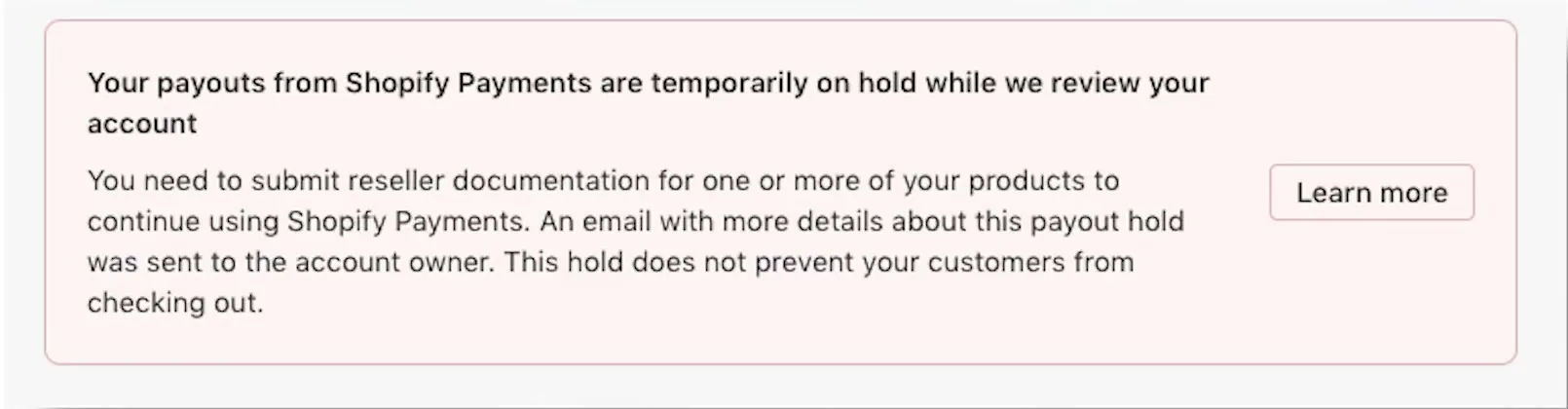
Will Shopify hold my money, and how do payouts work for a new store?
How Shopify Payments pays you, what a hold or a reserve is, what Shopify says causes them, and what to do on day one.
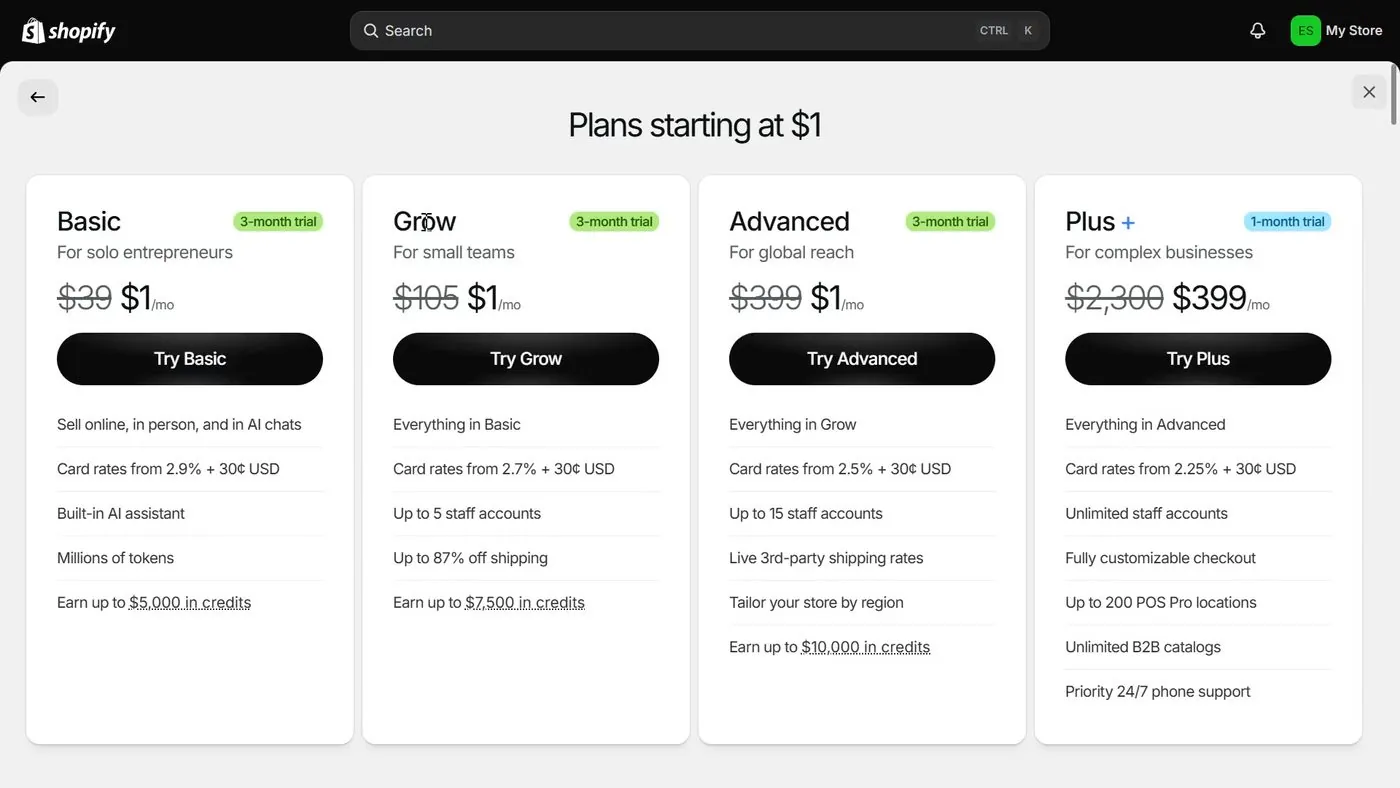
Shopify plans explained: Basic vs Grow vs Advanced, and which one a beginner should pick
Start on Basic. Here is what Grow and Advanced add, what each costs, and the sales level where paying more actually saves money.
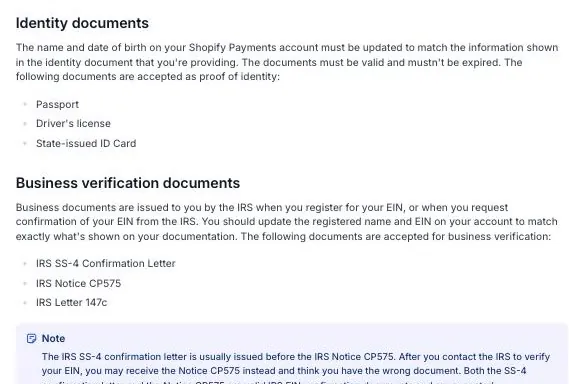
Shopify suspended my store before I even launched: why it happens, how to appeal, and how verification works
What Shopify's rules say about closing a store, the appeal steps Shopify prints, the documents Shopify asks for in the US, and what sellers have posted.
- Shopify, pricing page (Basic plan, $1 offer, card rate) and domains page, checked October 17, 2026.
- Shopify Help Center, dropshipping, what is dropshipping, choosing suppliers, shipping strategies and recommended apps, all checked October 17, 2026.
- Shopify Help Center, dropshipping legal page and policies and legal pages, checked October 17, 2026.
- Shopify Help Center, payout timing (checked October 17, 2026) and account holds (checked October 17, 2026).
- Shopify Help Center, chargeback process, $15 fee, checked October 17, 2026.
- Federal Trade Commission, Business Guide to the Mail, Internet, or Telephone Order Merchandise Rule, checked October 17, 2026.
- Shopify App Store listings, checked October 17, 2026: DSers, Zendrop, Spocket, AutoDS, DropCommerce, Shopify Collective, Syncee, Dropship: EU & US Dropshipping, Gelato and Printful. Free plans of Judge.me and Klaviyo, checked October 17, 2026.
- Judge.me, DSers Shopify Tutorial for Beginners (2026), YouTube, February 2026, the source of the DSers screens. AliExpress is the supplier site DSers connects to.
Online Store Buddy is an independent site. We're not affiliated with or endorsed by Shopify, Etsy, Amazon, WooCommerce, Wix or Squarespace. Those names are trademarks of their owners.